




SPECIFICATIONS
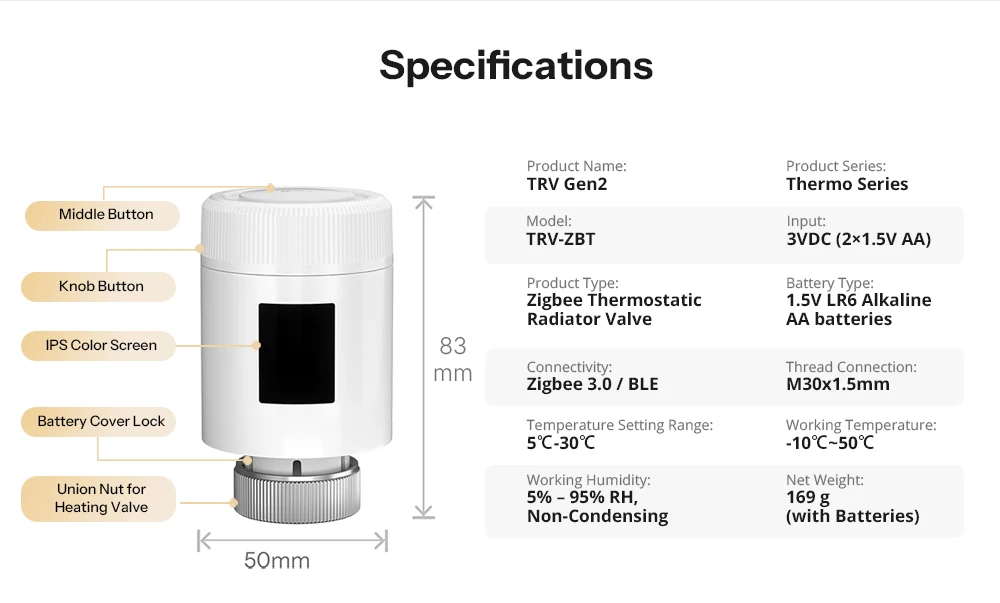
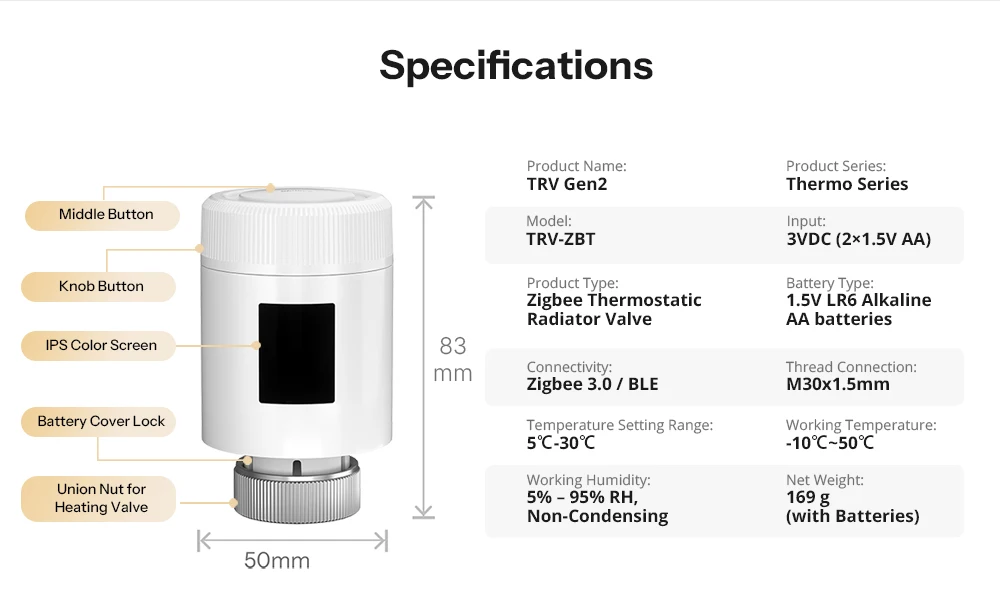
Battery type: 1.5-V alkaline batteries (LR6/AA)
Brand Name: SONOFF
Certification: CE,RoHS,CE / RoHS
Color: White
Entrance: 3 V⎓ (2 × 1.5-V batteries)
MCU: TLSR8258
Model: TRV-ZBT
Model Number: TRV-ZBT
Net weight: 169g (incl. batteries)
Operating cycles: 10,000 cycles
Operating relative humidity: 5%–95% RH, non-condensing
Operating temperature: -10 °C – 50 °C
Origin: Mainland China
Product dimensions: 50 × 50 × 82.9mm
Product line: Thermal Series
Product name: TRV Gen2
Product type: Zigbee radiator thermostat
Smart home platform: Matter
Temperature adjustment range: 5 °C – 30 °C
Threaded connection: M30 × 1.5mm
Wattage: 2* 1.5V LR6 alkaline AA batteries
Zigbee: IEEE 802.15.4
housing material: PC
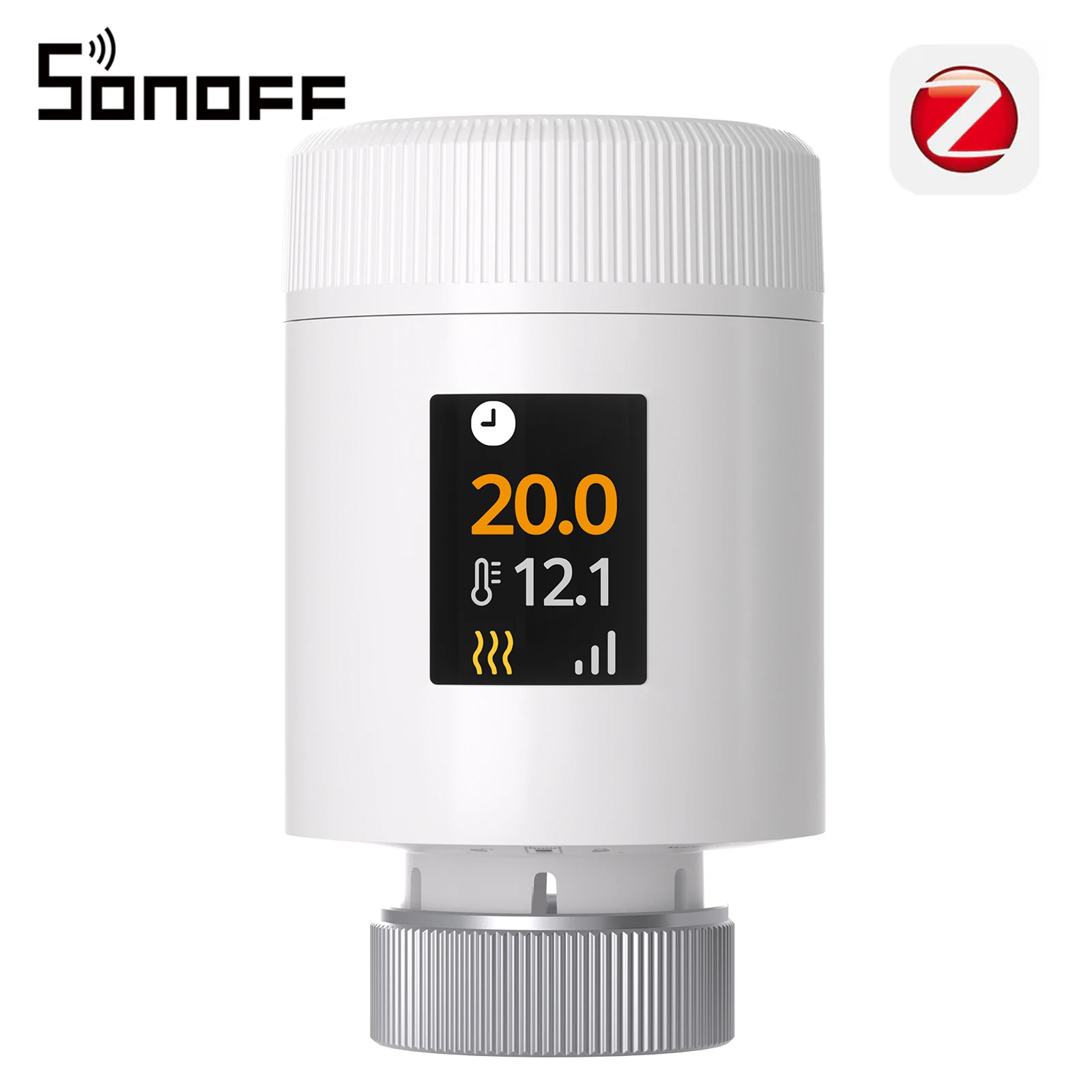
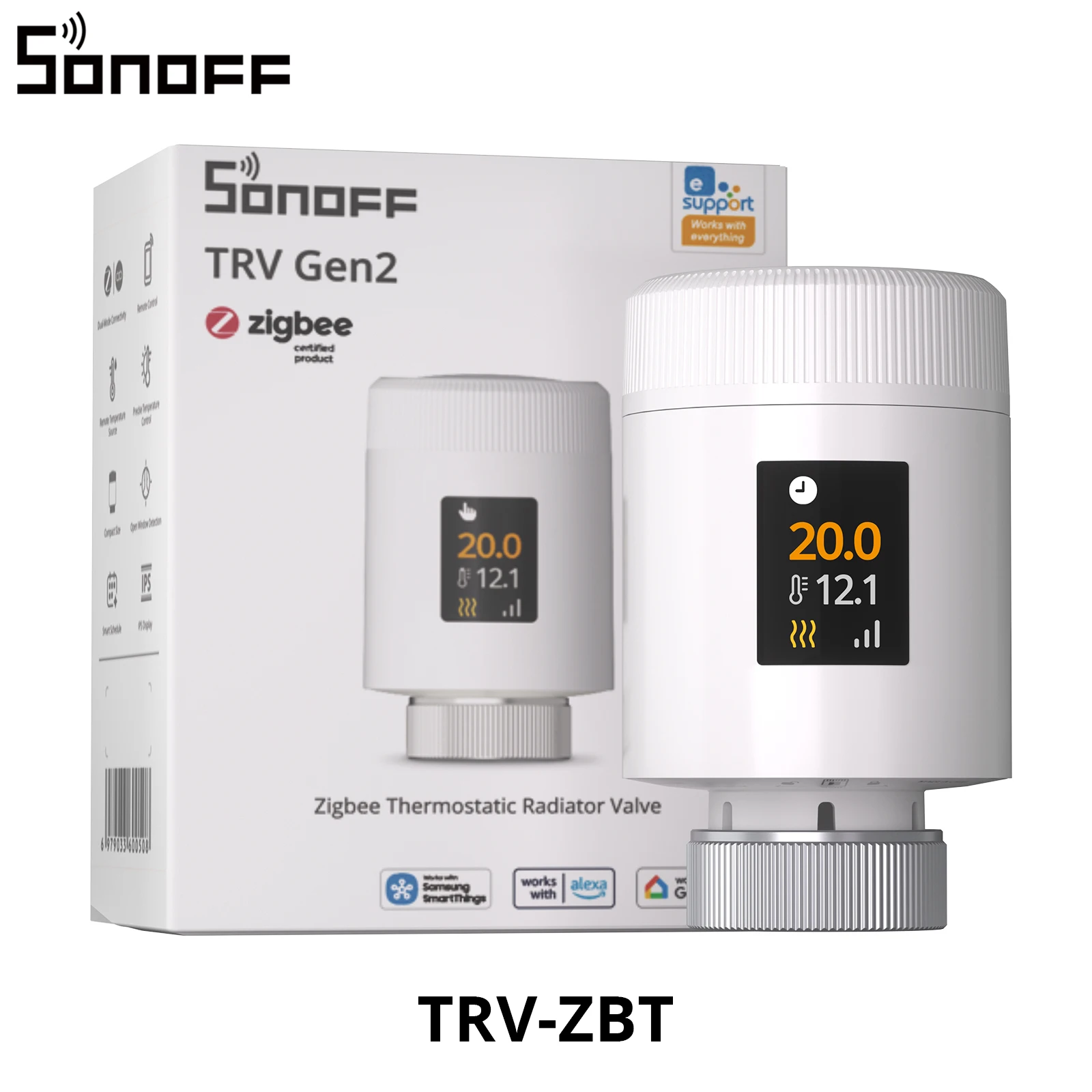
SONOFF TRV‑ZBT TRV Gen2 Zigbee Thermostat-Radiator valve, compact design, HD‑IPS color display, support for 3 programs and 12 time intervals, energy saving mode
TRV-ZBT is a Zigbee smart radiator thermostat designed for precise temperature control and efficient heating management. It makes for a smarter heating experience thanks to a rotating IPS color display, customizable schedules, low-noise operation and a compact design. With real-time devices monitoring, diverse temperature profiles and integrated protection functions, it ensures comfortable, reliable and energy-efficient heating of modern smart homes.

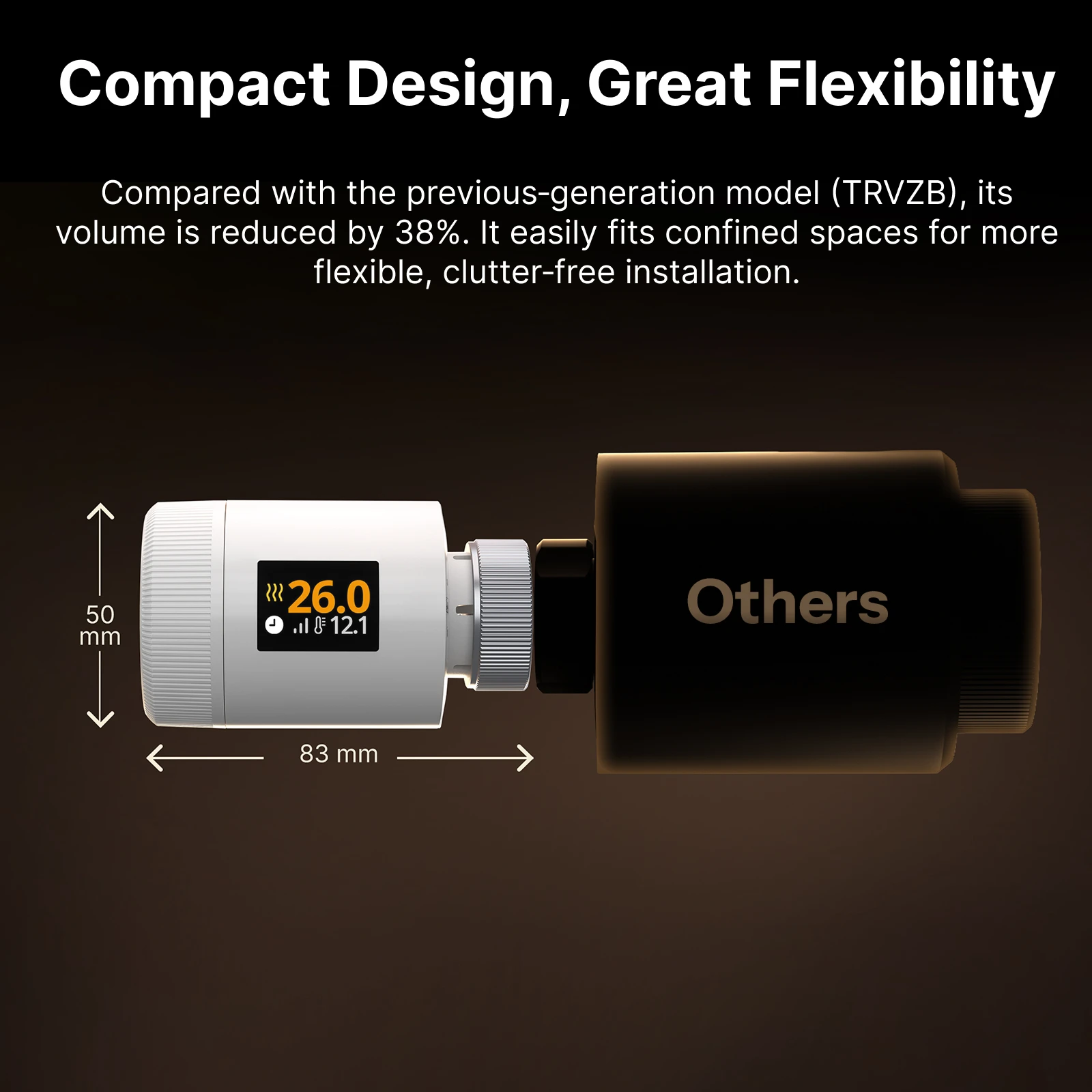
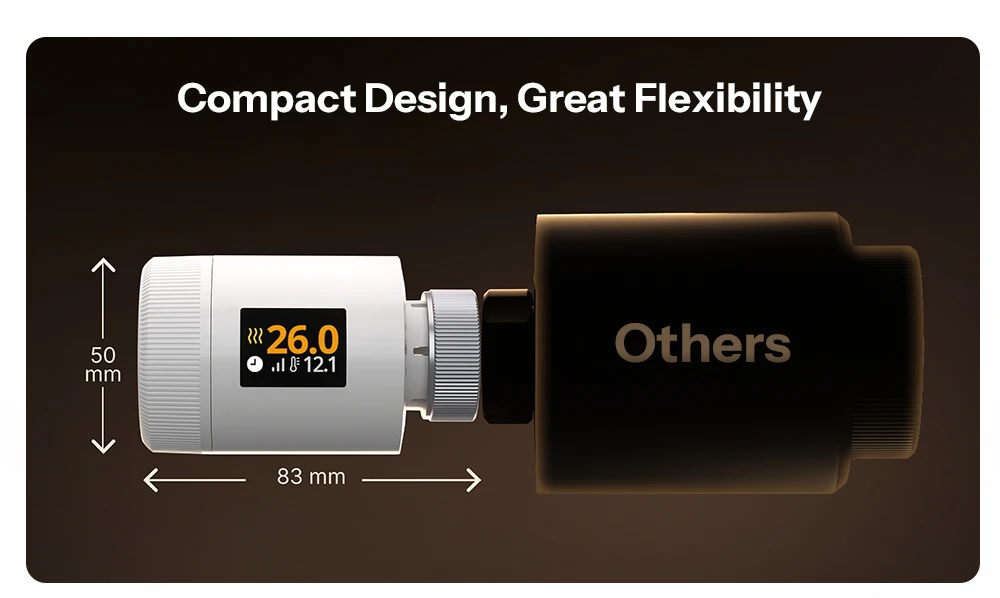
Compact design, high flexibility
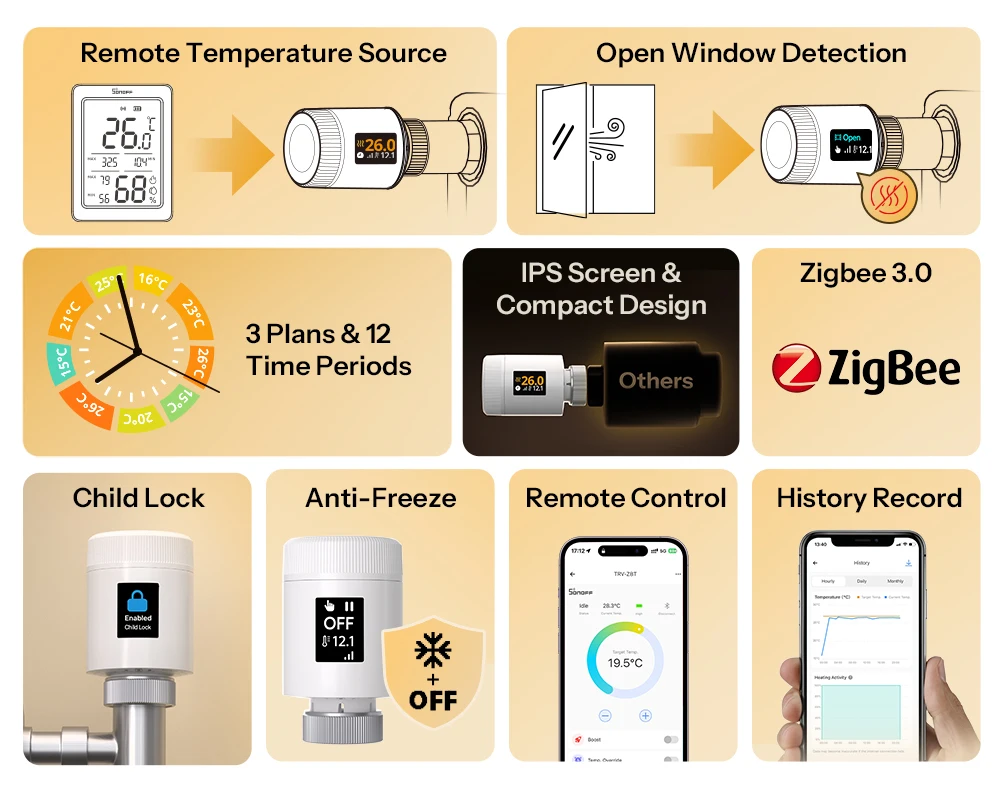
Compared to the previous model (TRVZB), the volume was reduced by 38%. It fits easily even in limited space and thus enables a more flexible, tidy installation.
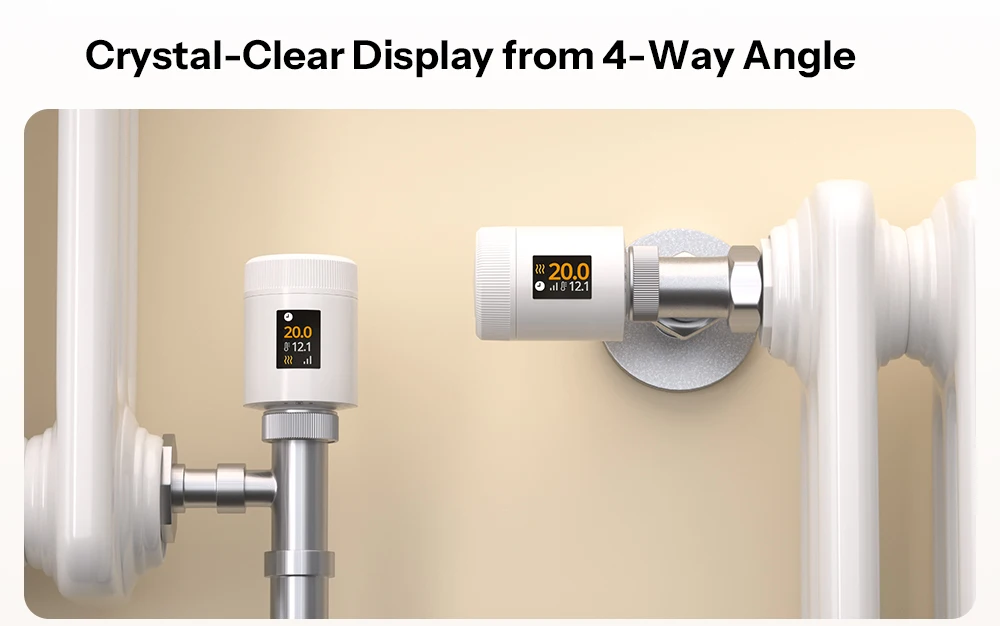
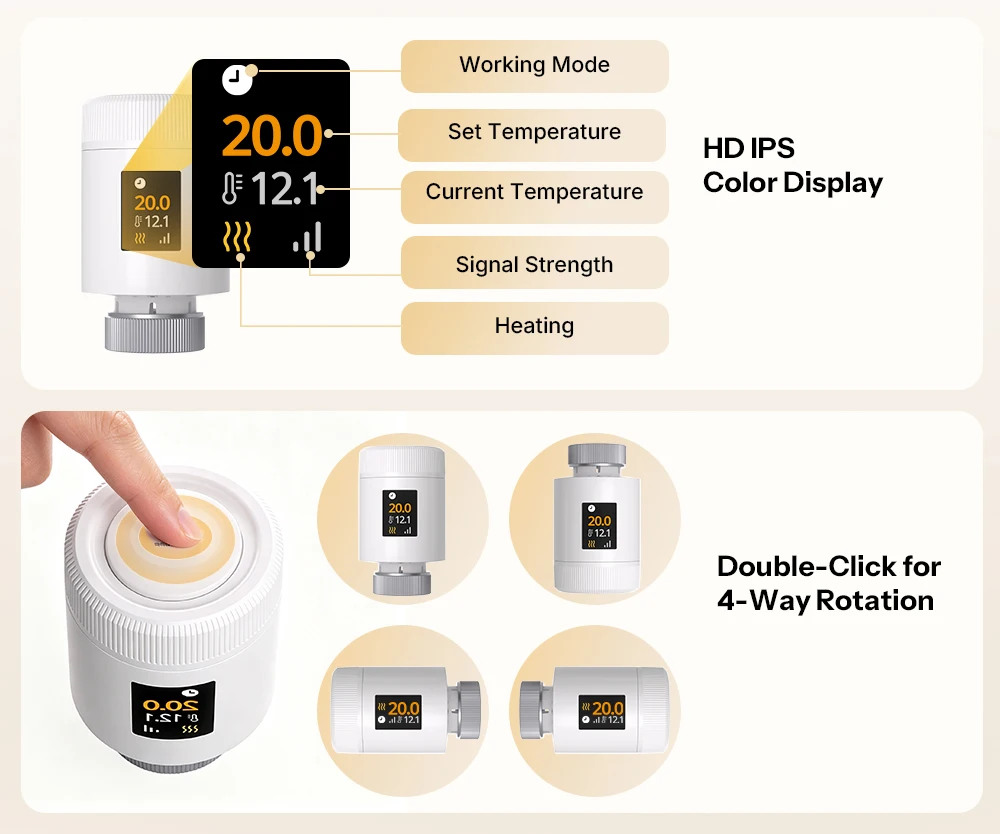
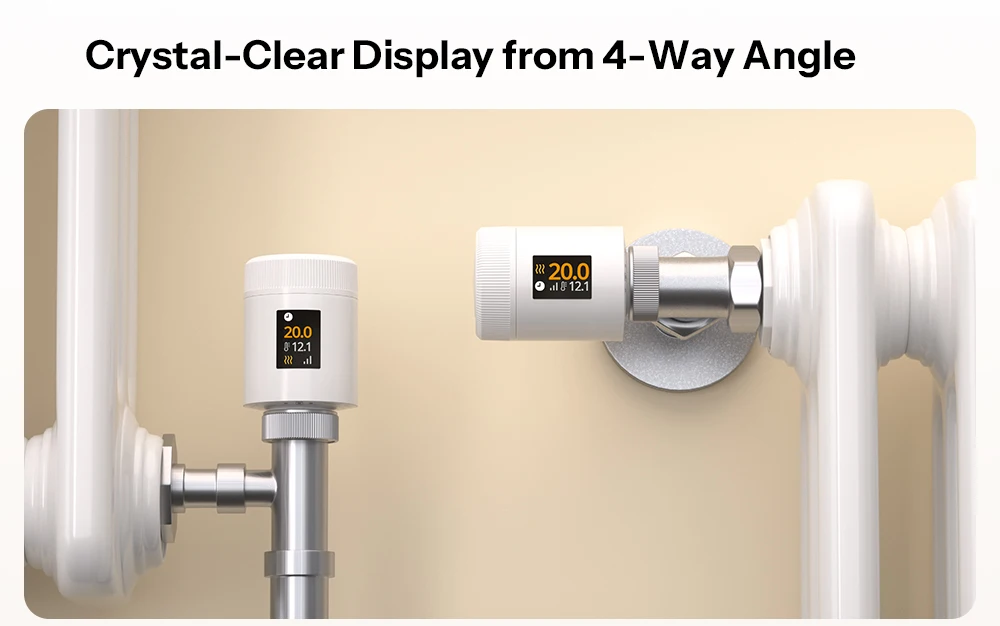
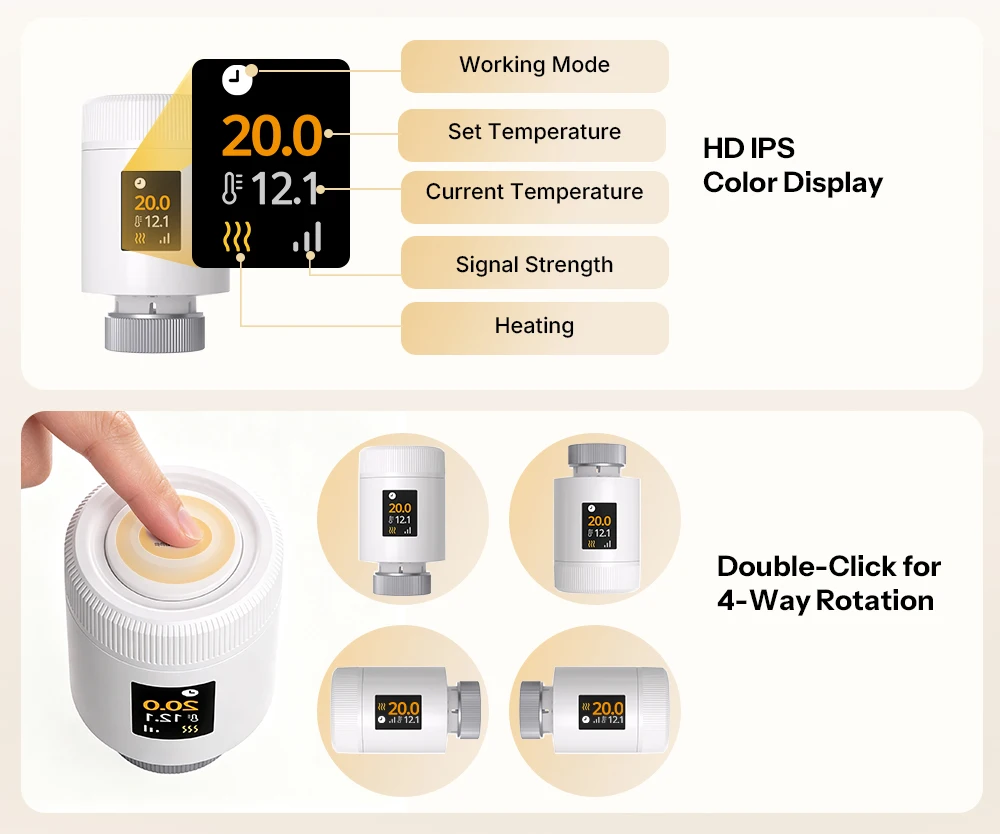
Crystal clear display from four angles
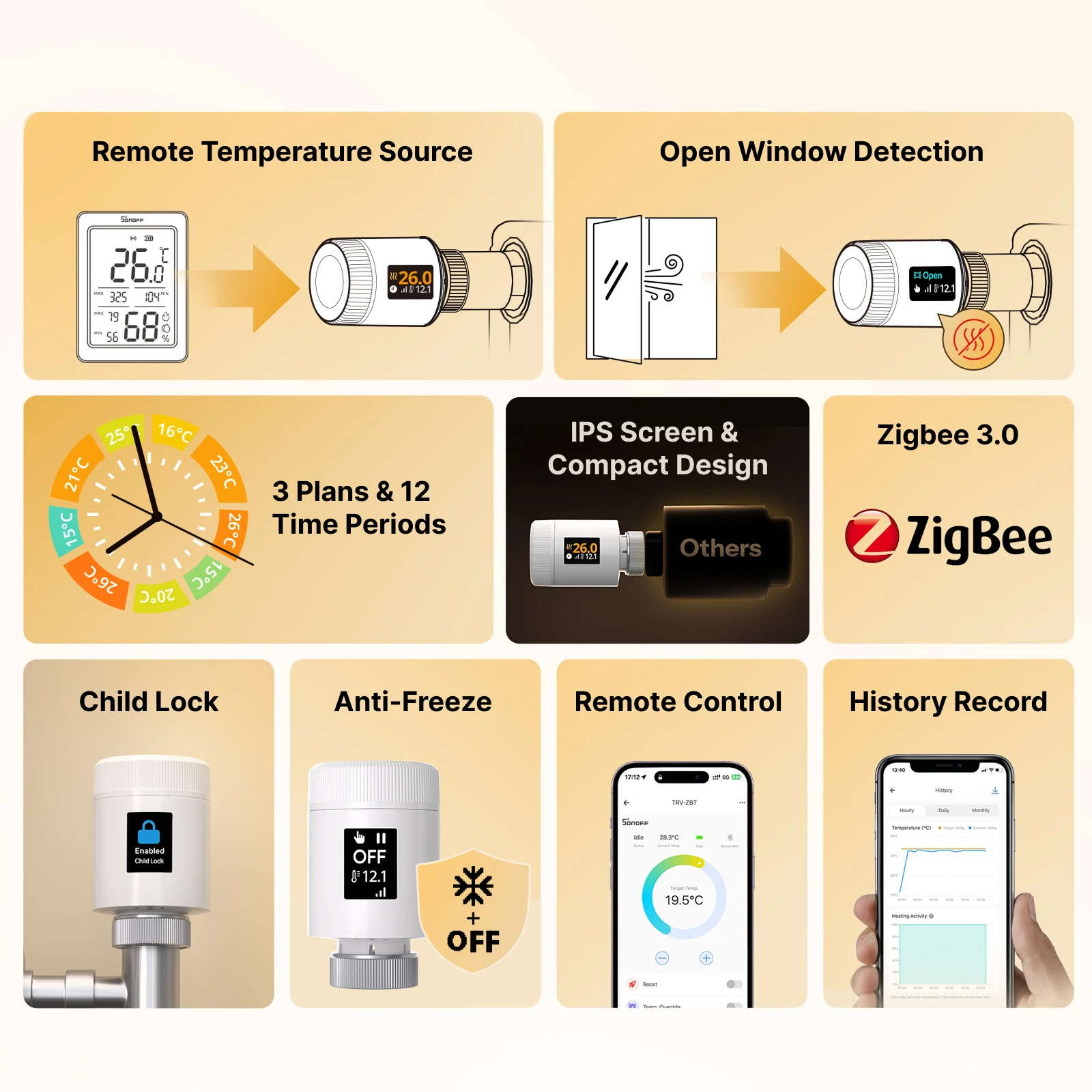
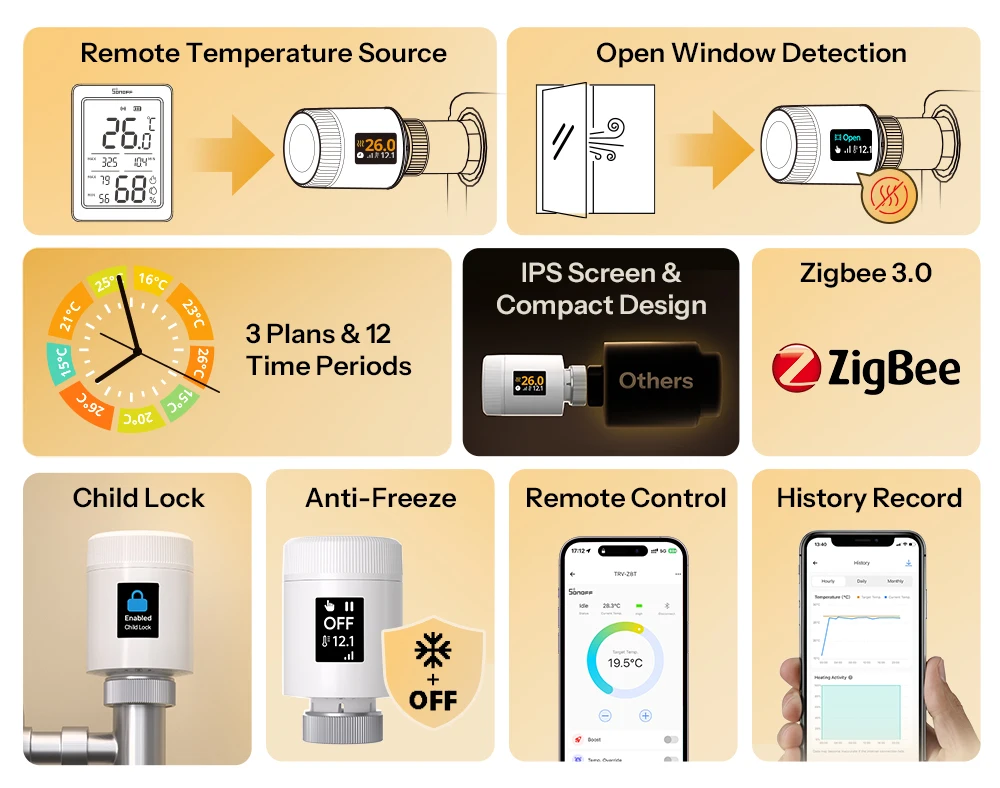
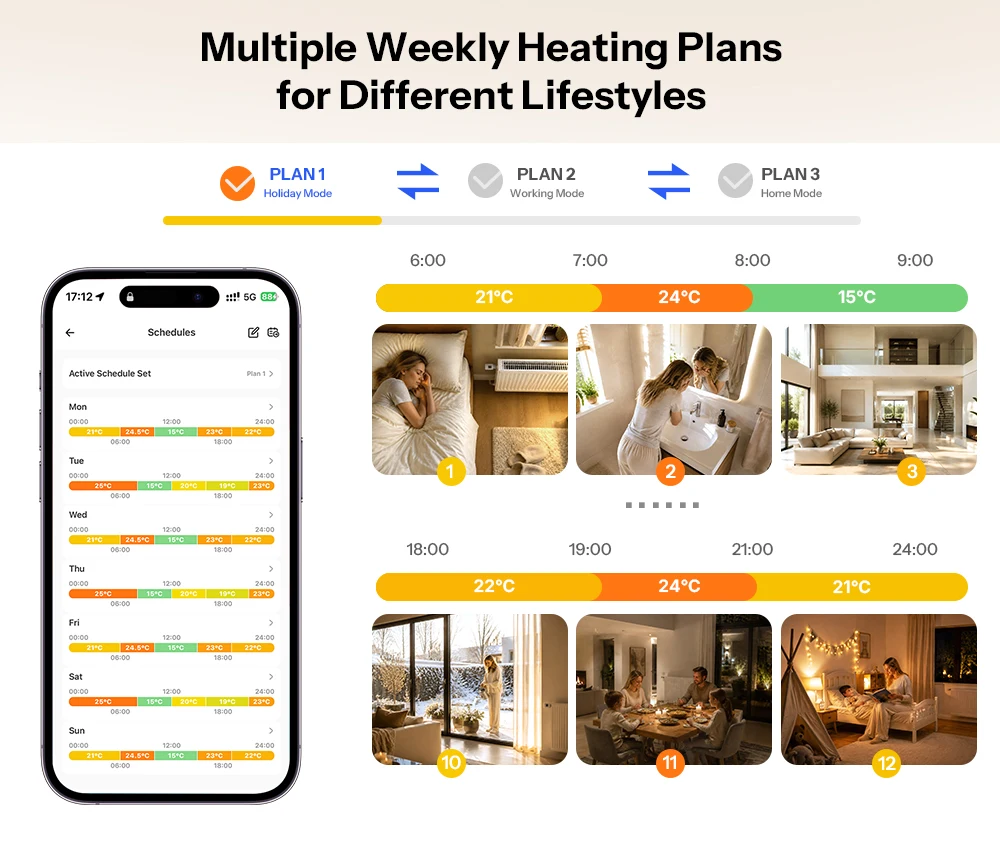
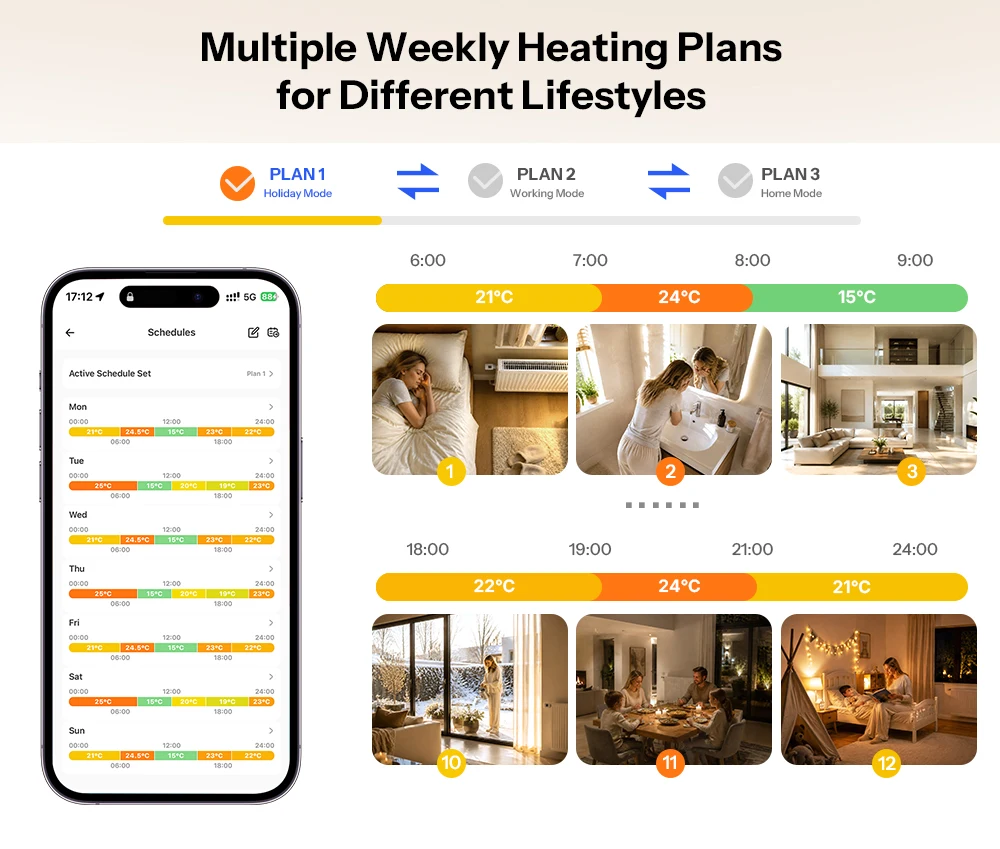
Several weekly heating plans for different lifestyles
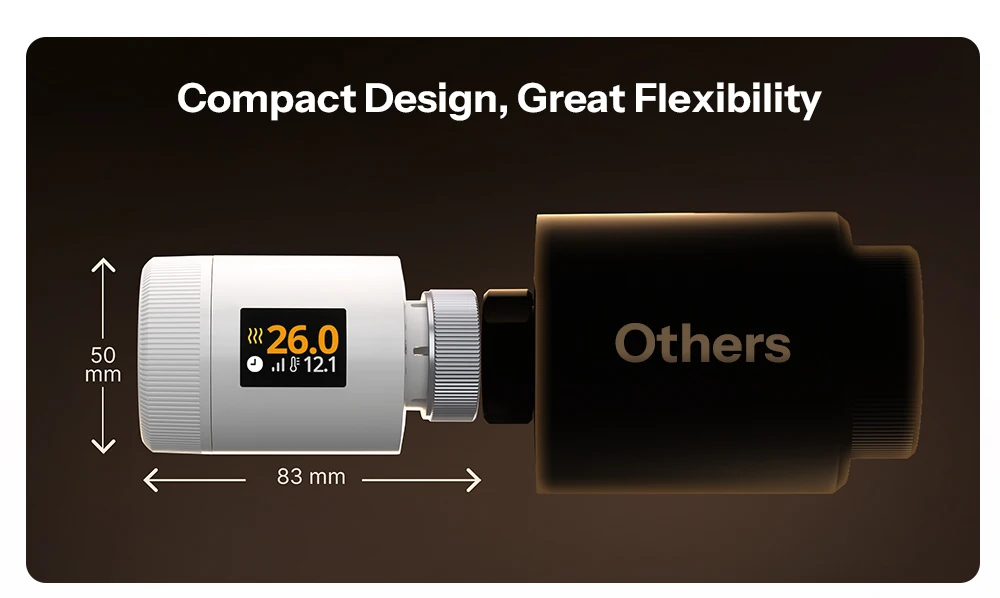
Supports three independent heating plans and up to twelve temperature phases; the temperatures are automatically adapted to different household processes, whereby a balance between comfort and energy efficiency is maintained.
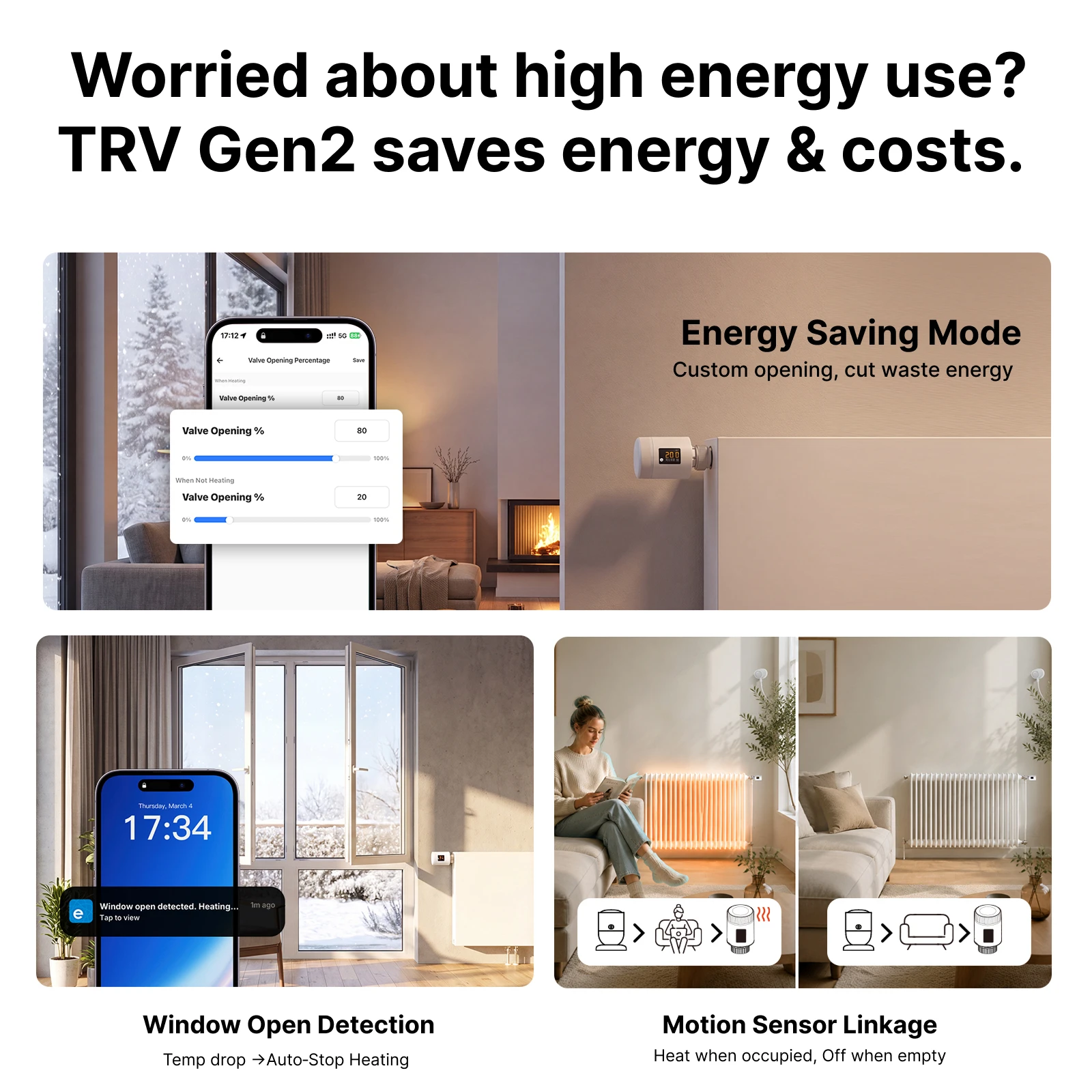
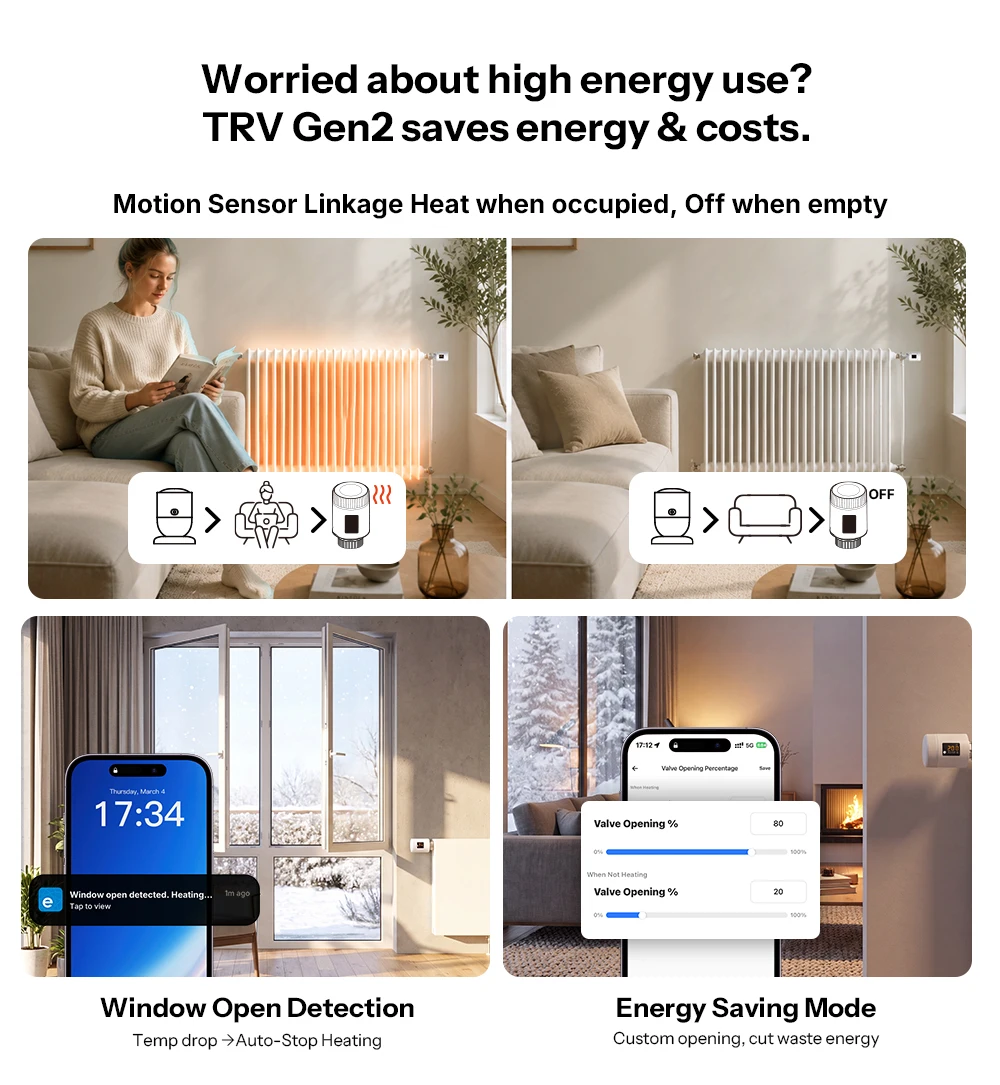
Worries about high energy consumption?
TRV Gen2 saves energy and costs.
Window-open detection
Temperature drop → heater stop automatically
Energy saving mode
Tailor-made opening, reduction of energy losses
Link with motion sensor
Heating in presence, from in absence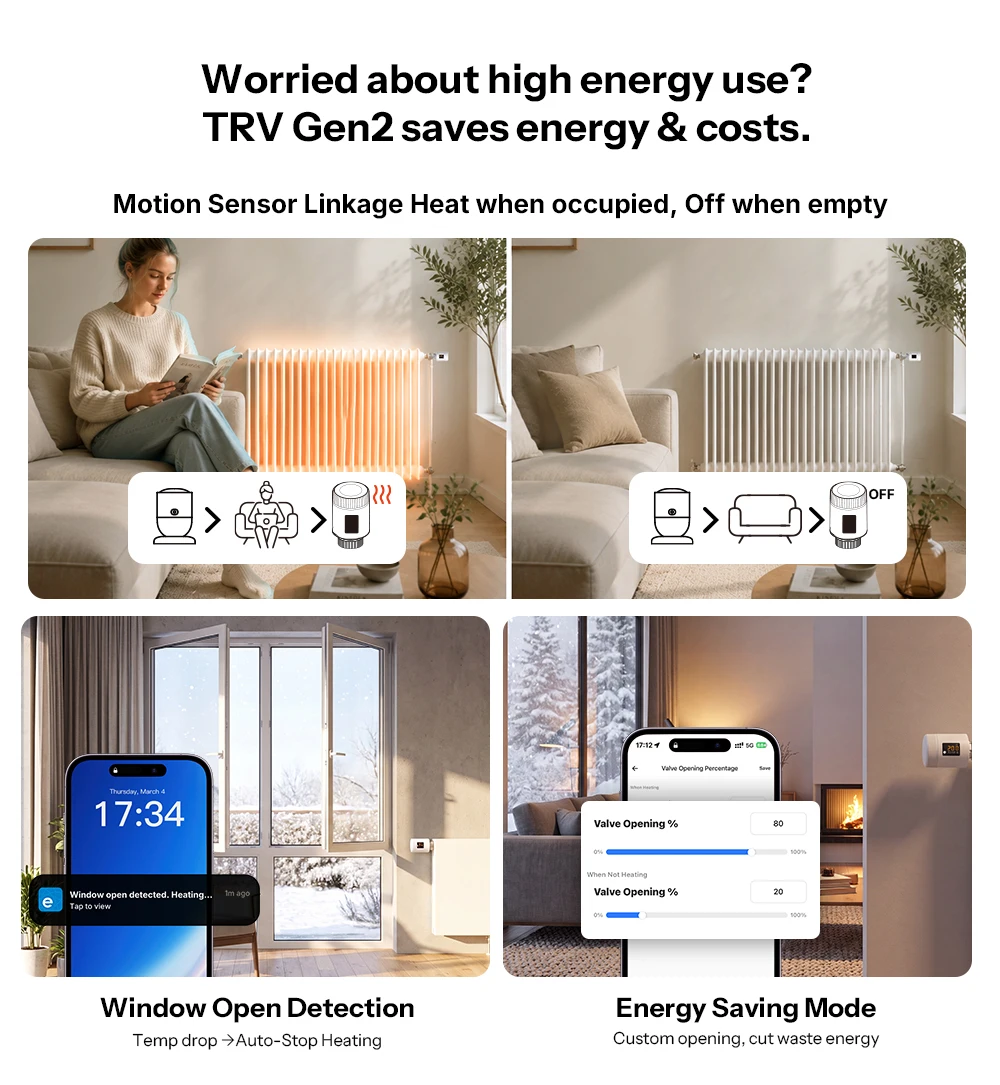
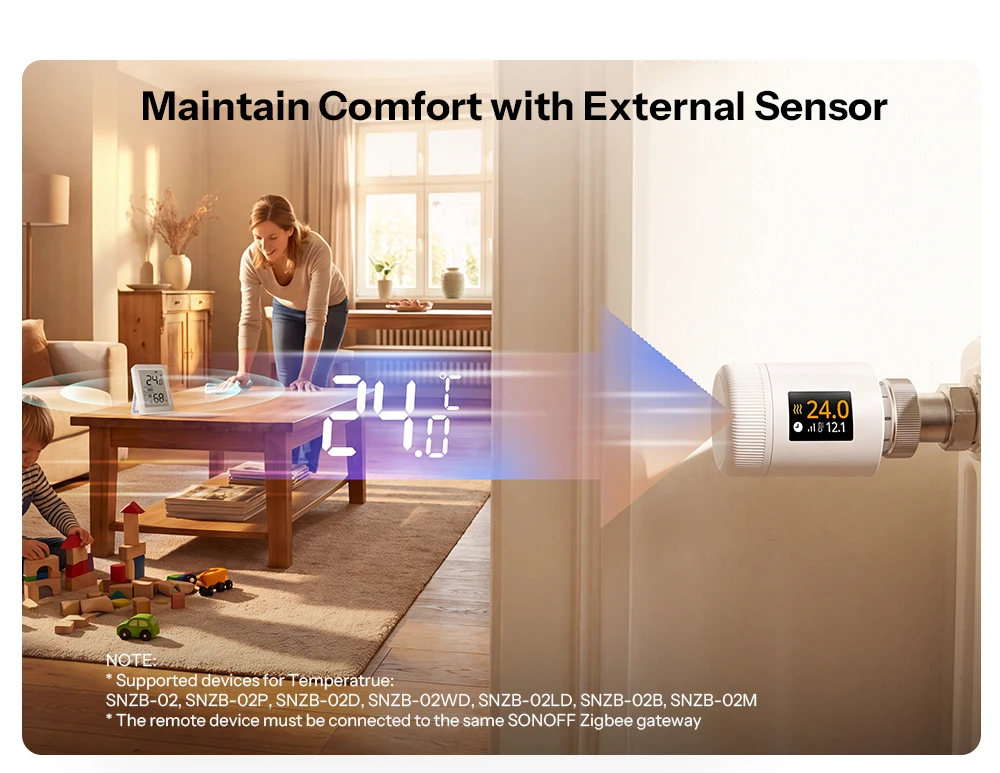
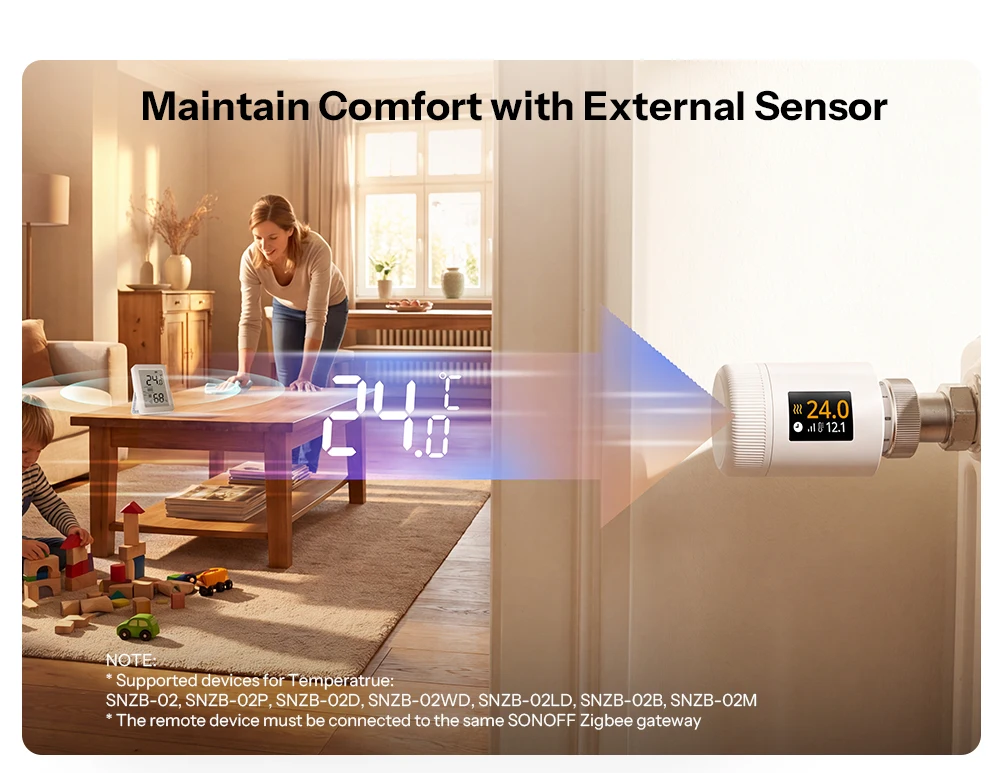
Preserve comfort with an external sensor
Is there a temperature difference between the room and the area around the radiator? Use the SONOFF Zigbee temperature and humidity sensor as an external probe for true room temperature control and precise heating.
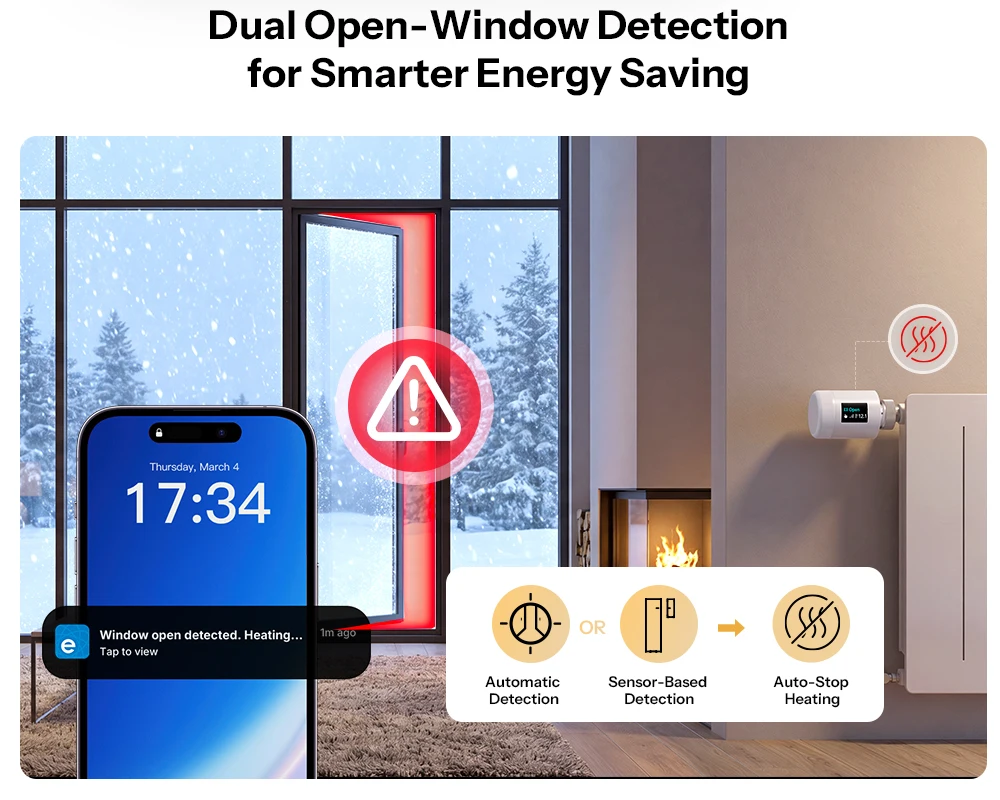
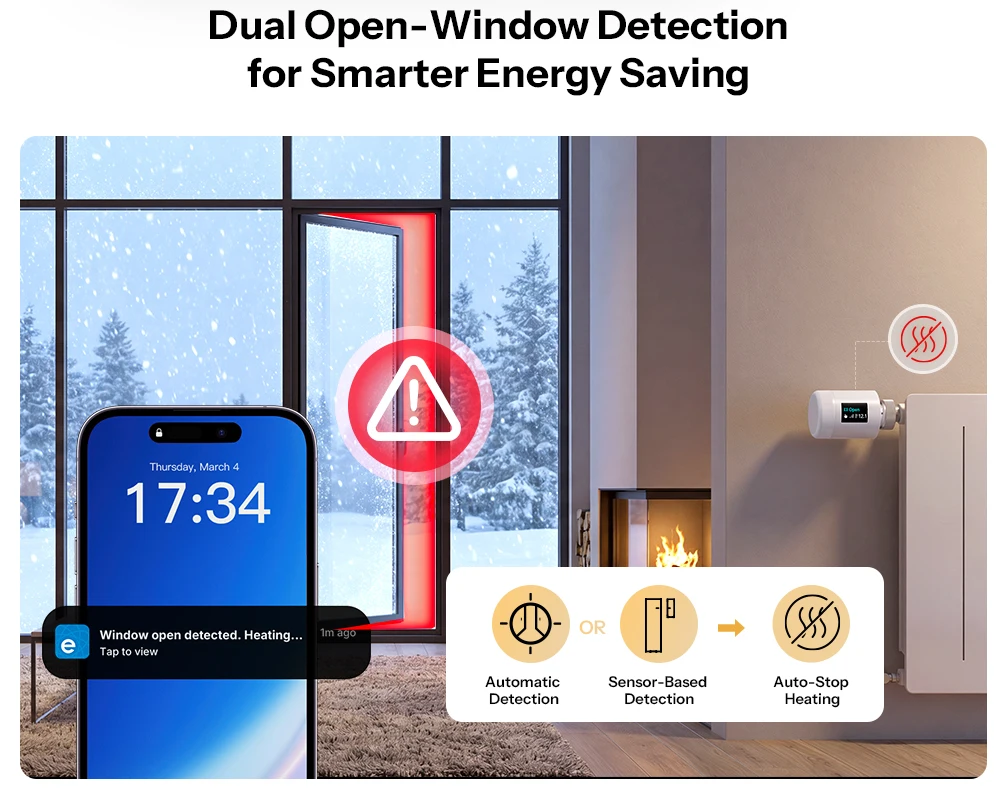
Double window open detection for smarter energy saving
Supports pairing with the SONOFF door/window sensor and automatic open window detection. If a window is opened, the heater stops automatically to avoid wasting energy through continuous heating.
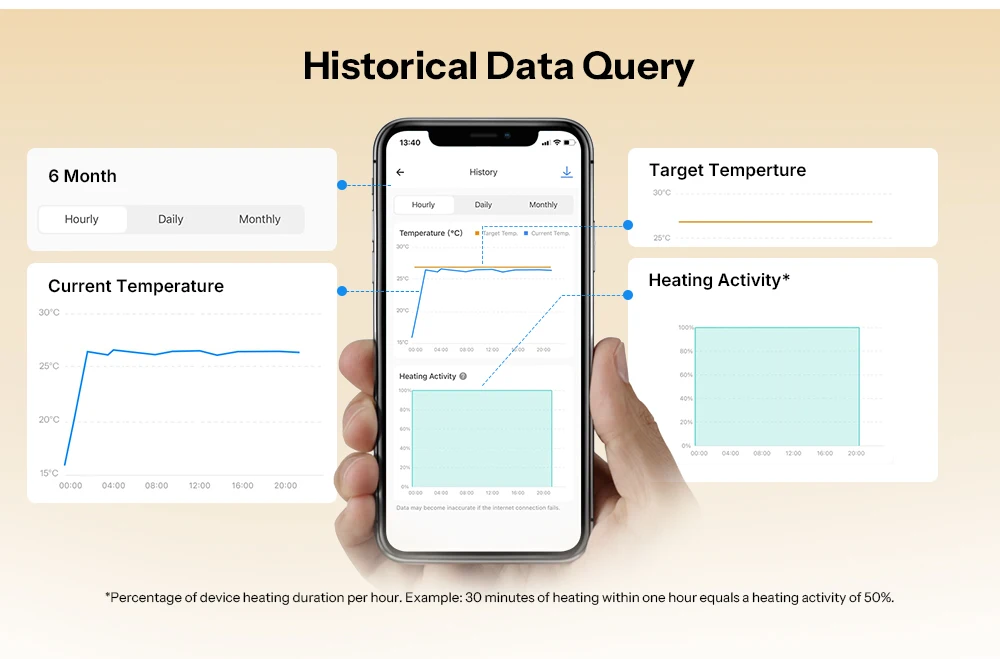
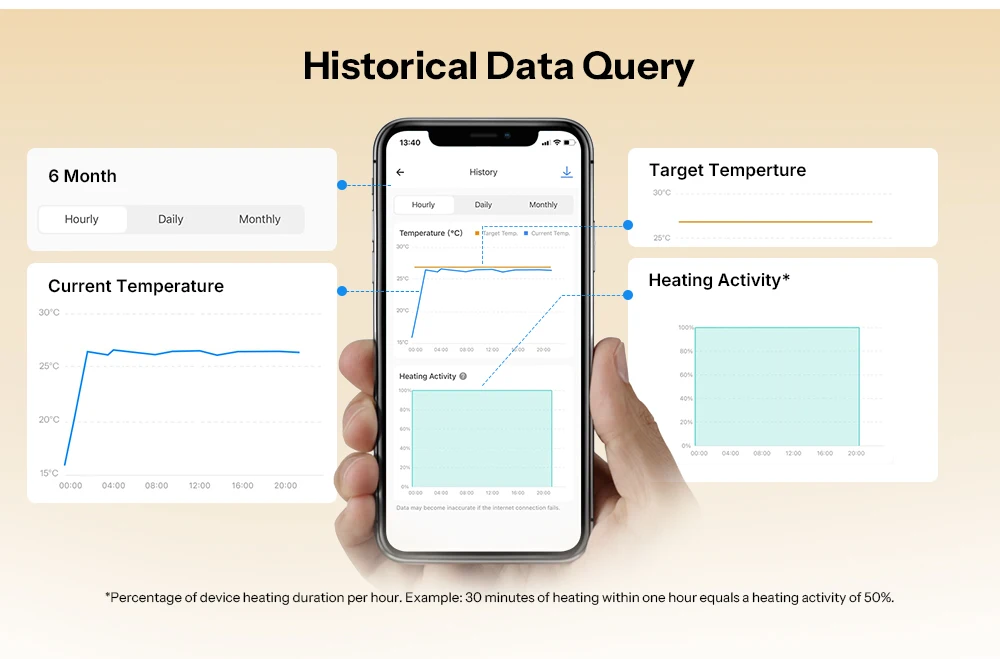
Query of historical data
You can view three types of data: Target temperature, current temperature and heating activity. Historical data can be traced back up to six months.
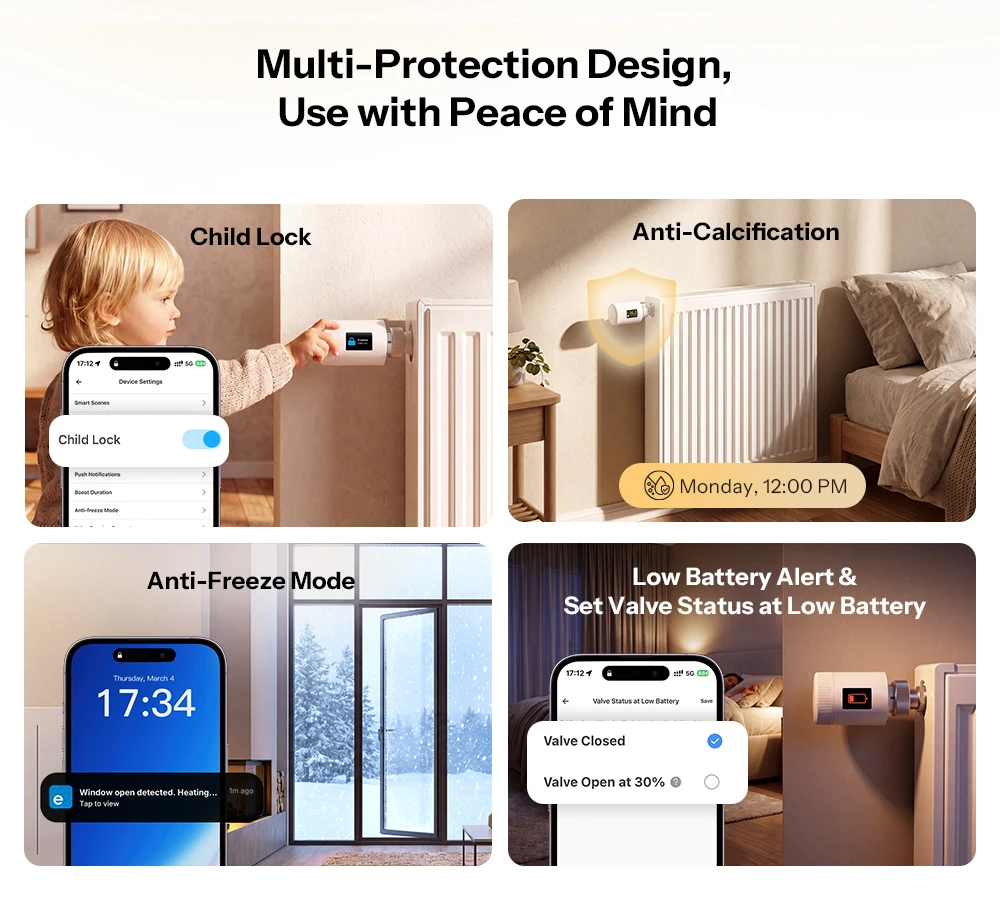
Design with multiple protection-for a safe feeling when using
Children’s fuse
Anti-calcification
Antifreeze mode
Low Battery Warning & Set Valve Status at Low Battery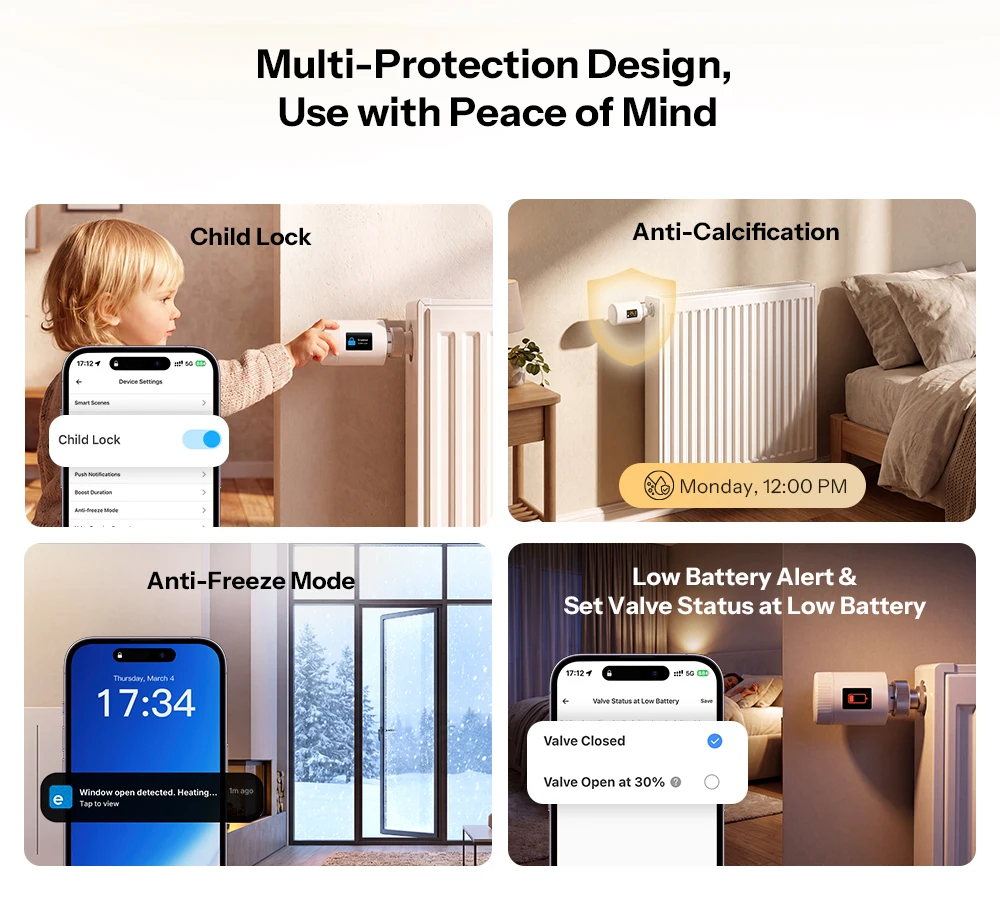
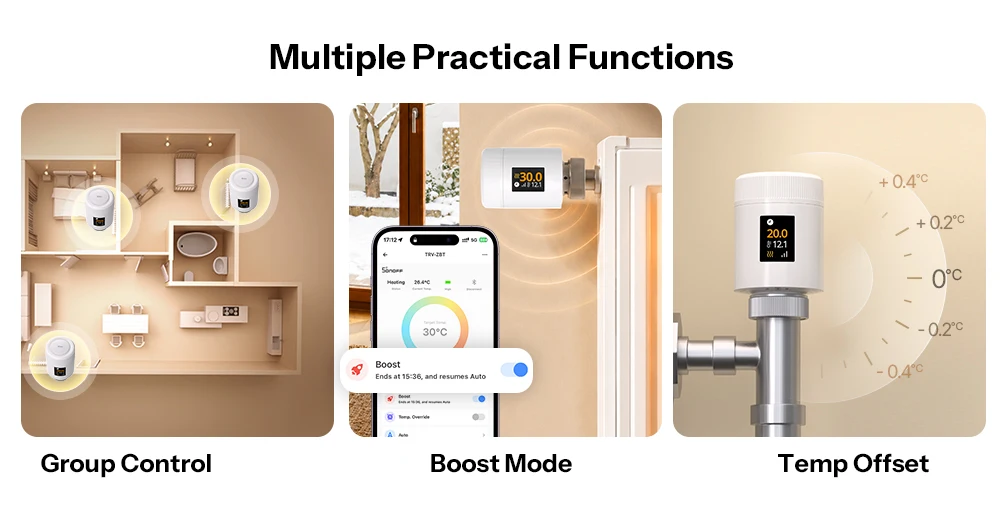
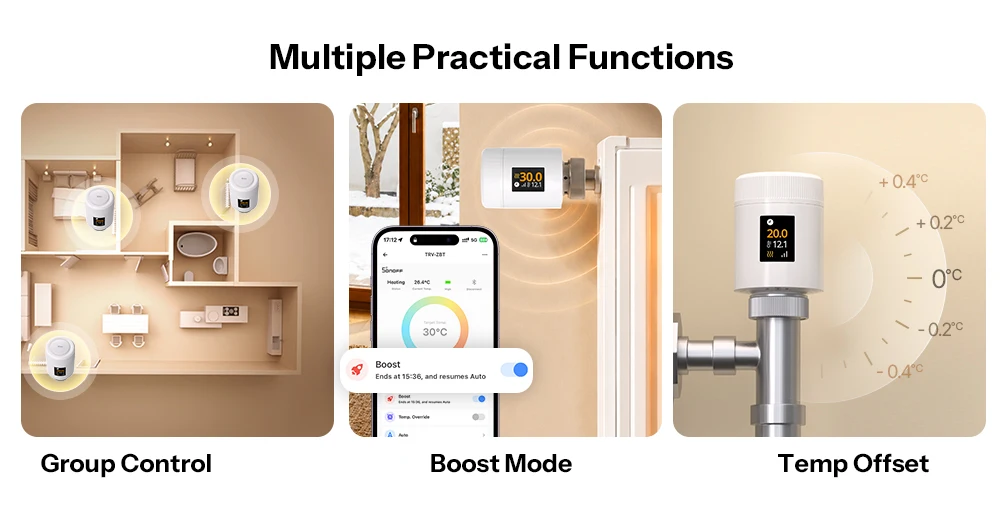
Diverse practical functions
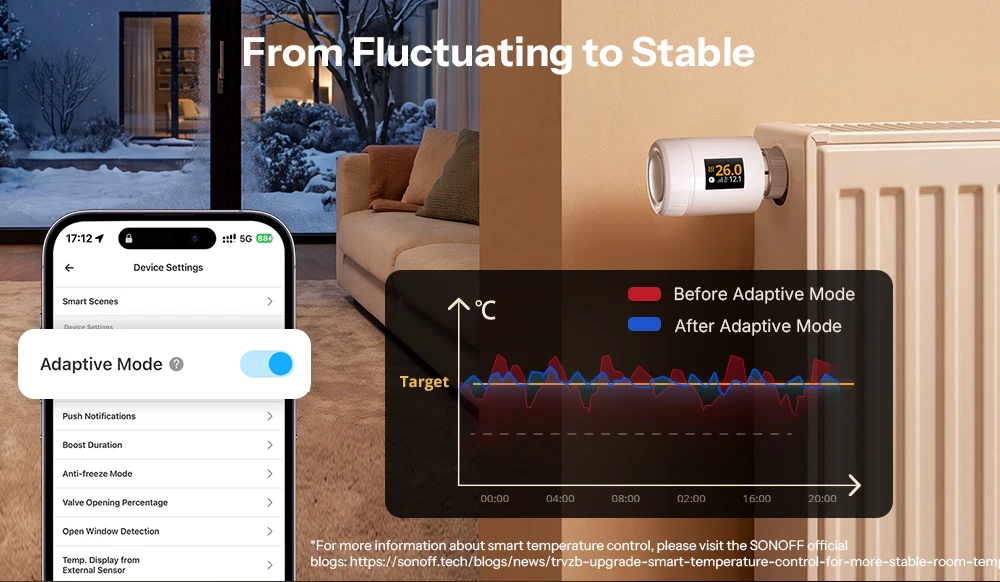
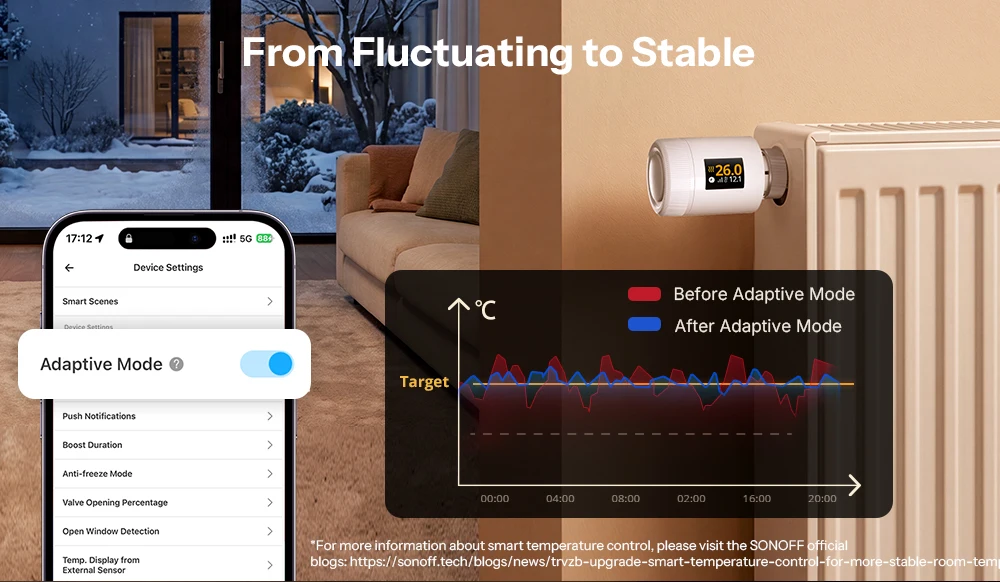
From fluctuating to stable
Our PID algorithm flexibly regulates the valve openings and thus ensures continuous comfort and considerable energy savings.
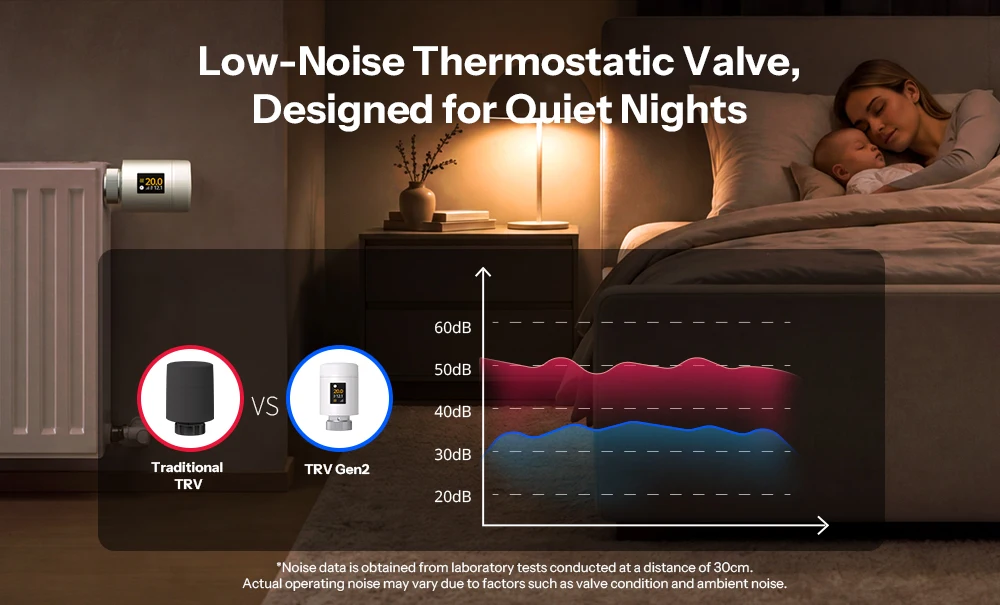
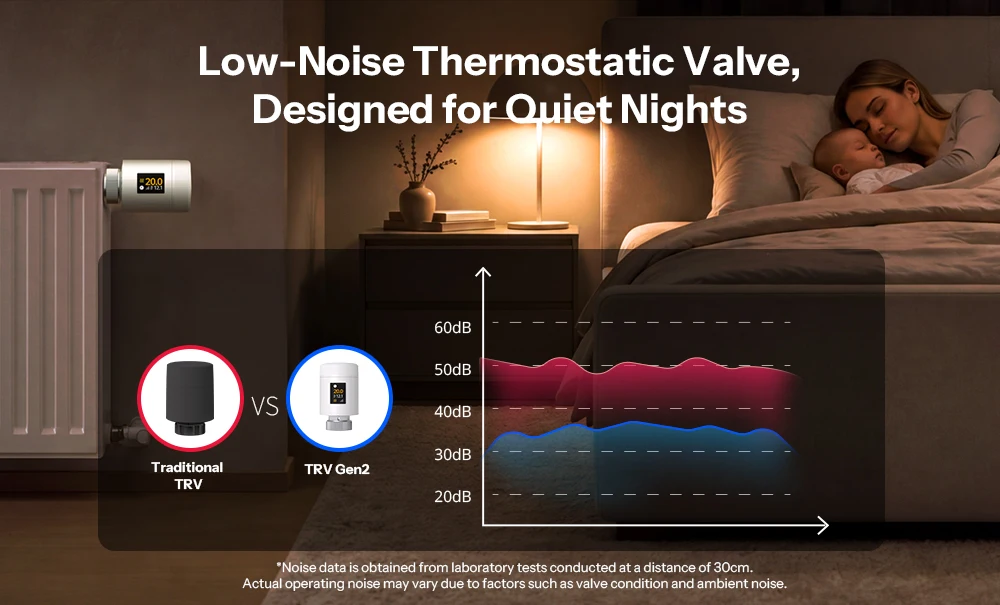
Low Noise thermostatic valve,
Developed for quiet nights
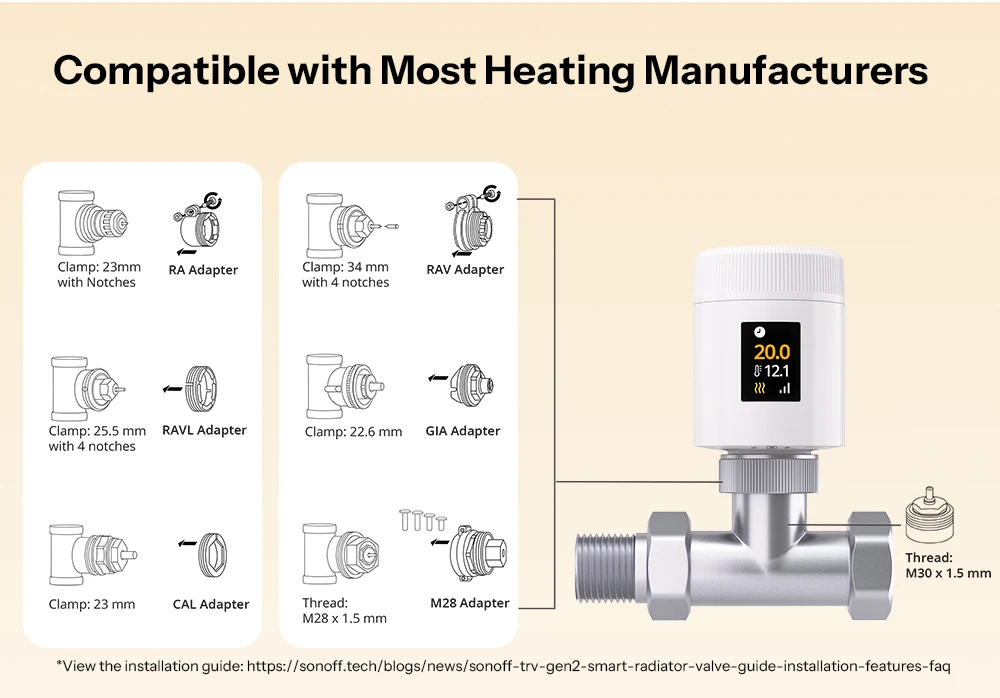
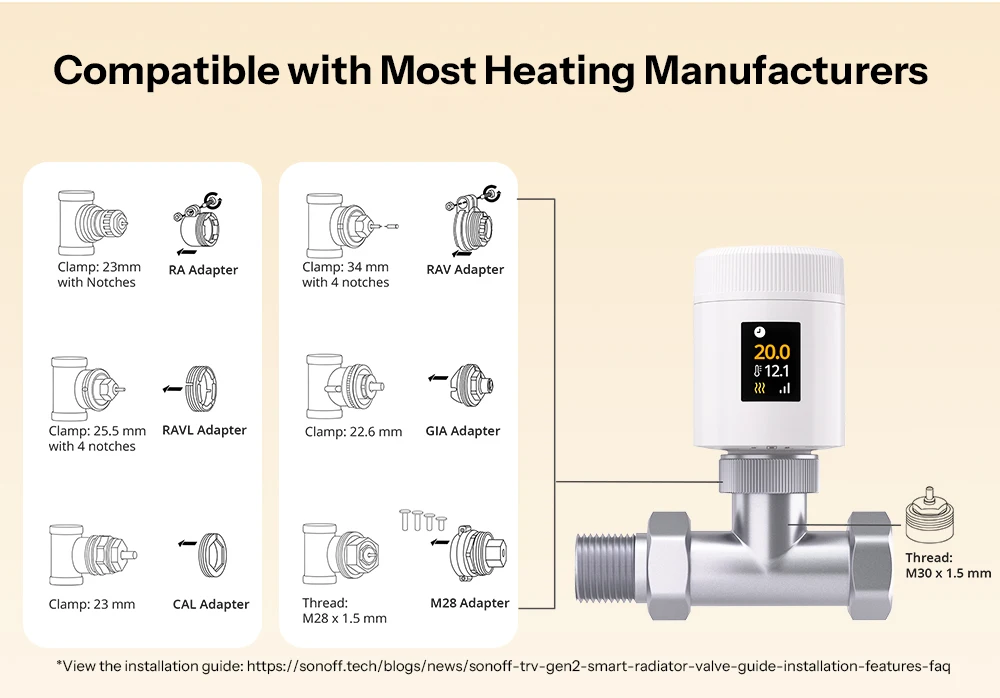
Compatible with most Heating Manufacturers
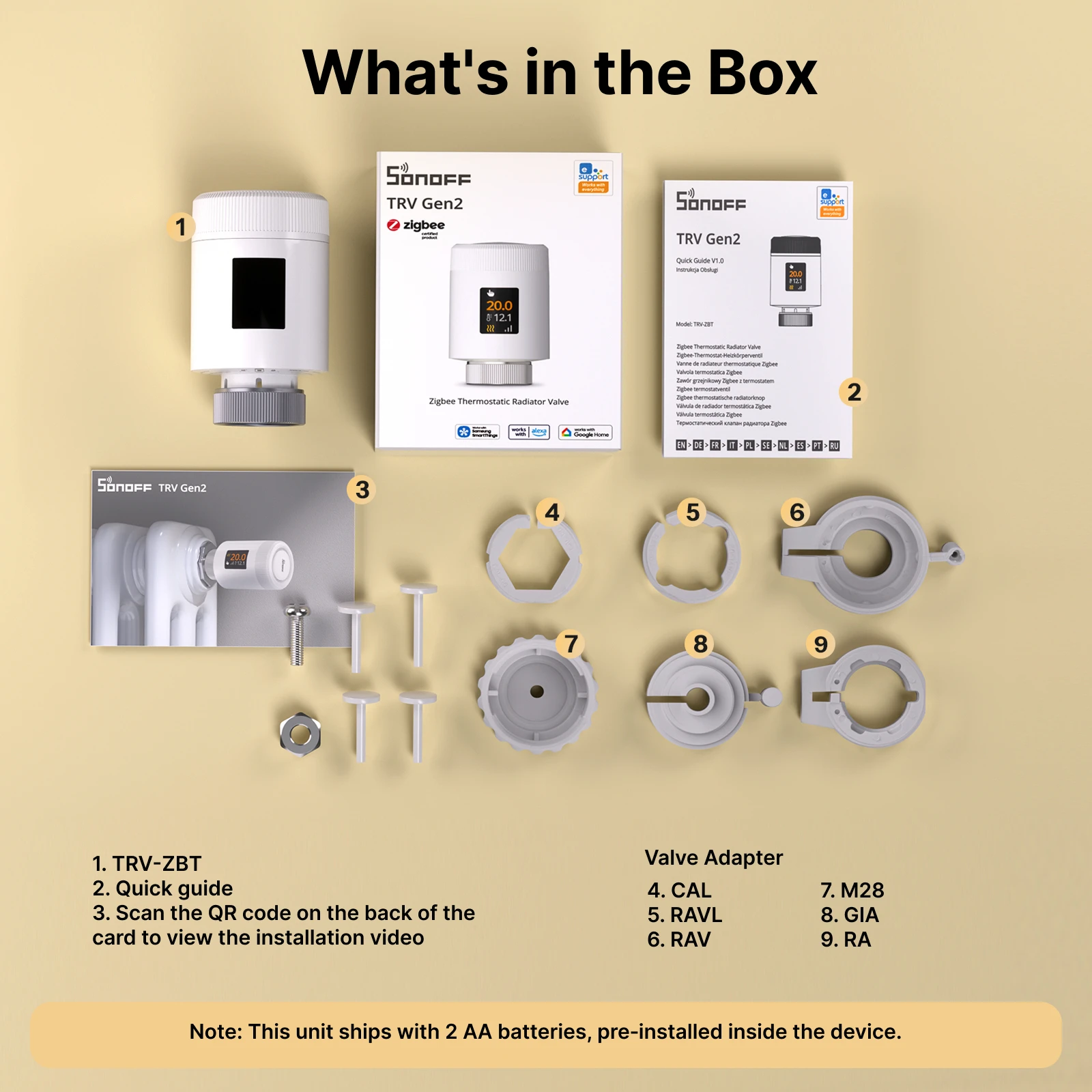
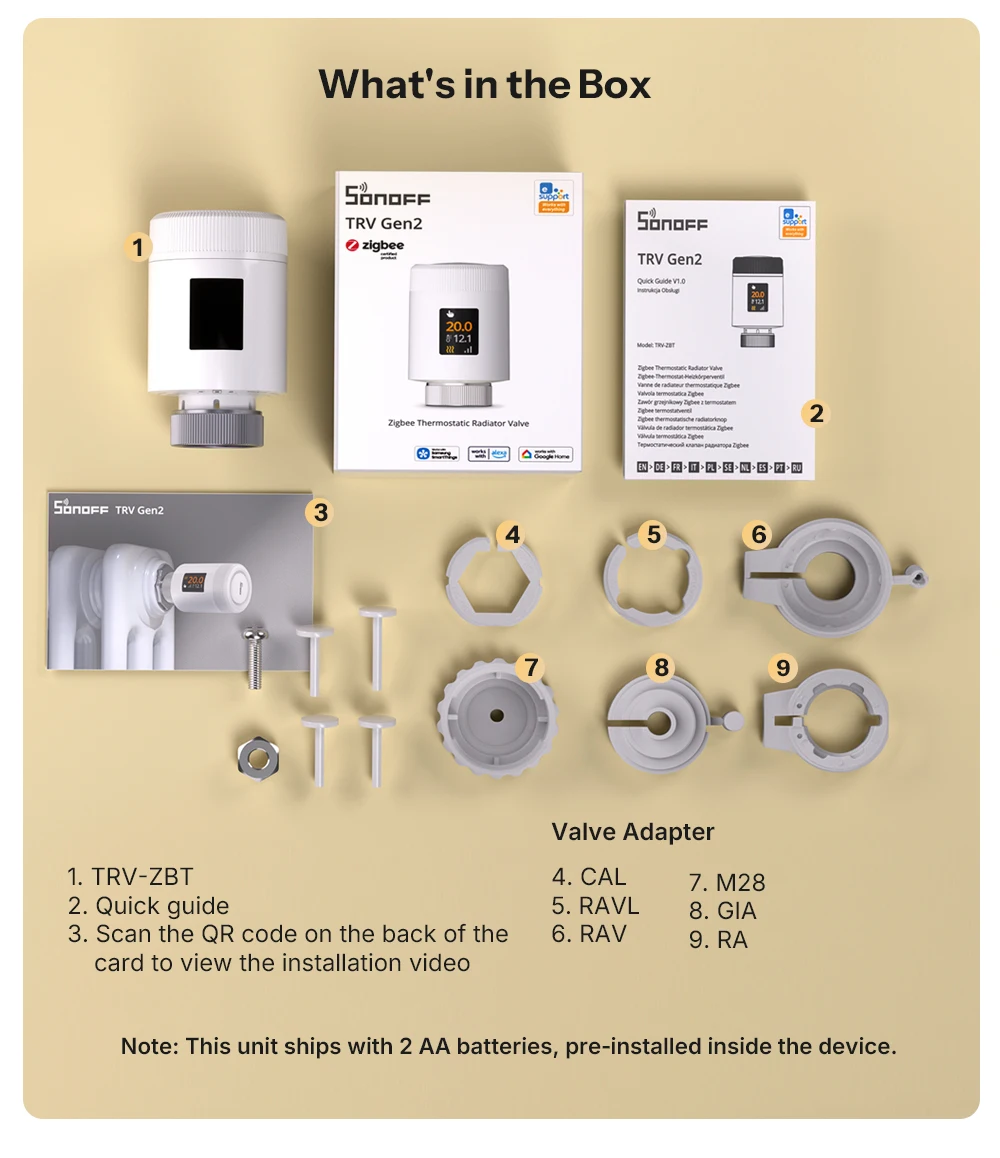
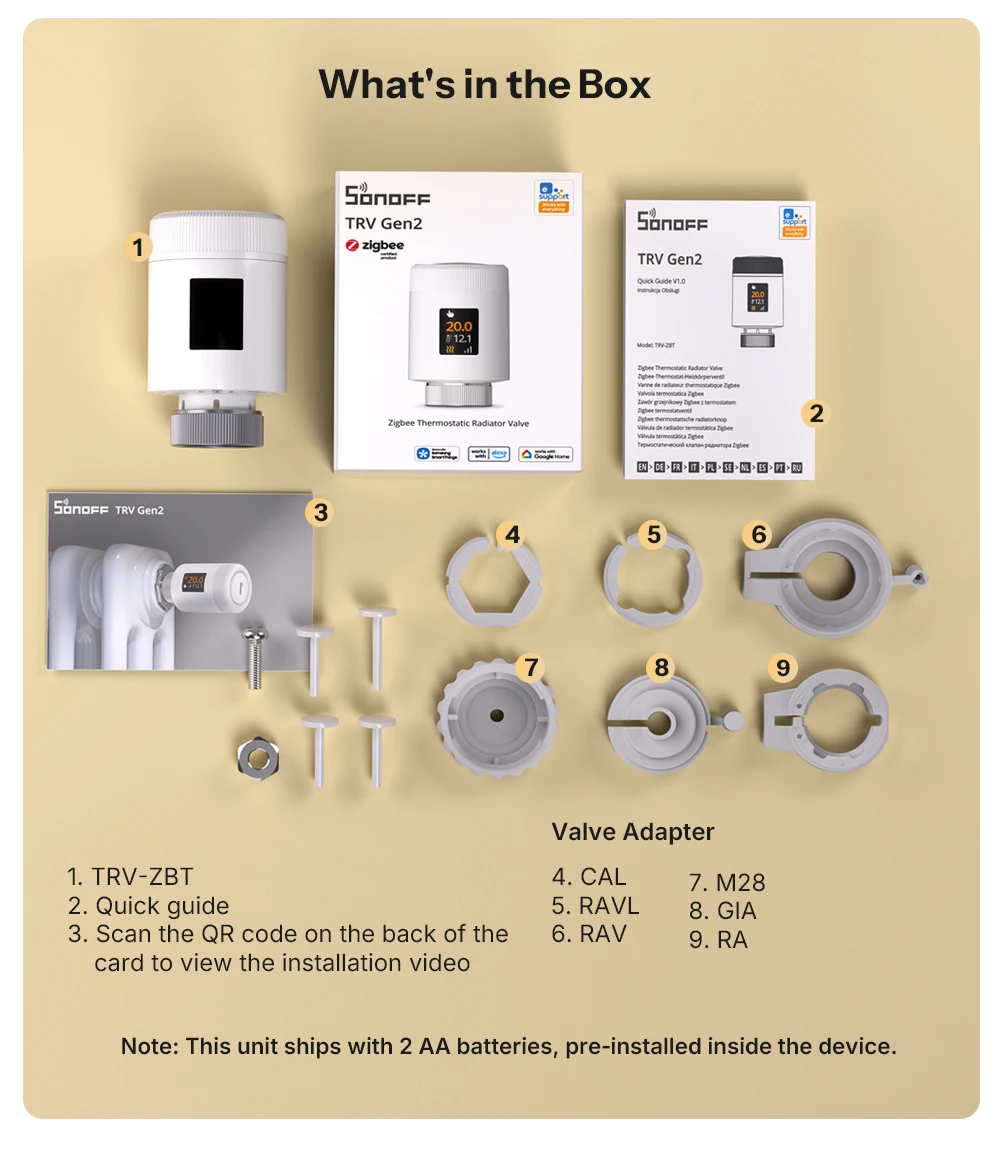
Suitable for existing radiator valves with “M30 x 1.5mm” connection; the included valve adapters are compatible with most heating systems and manufacturers.
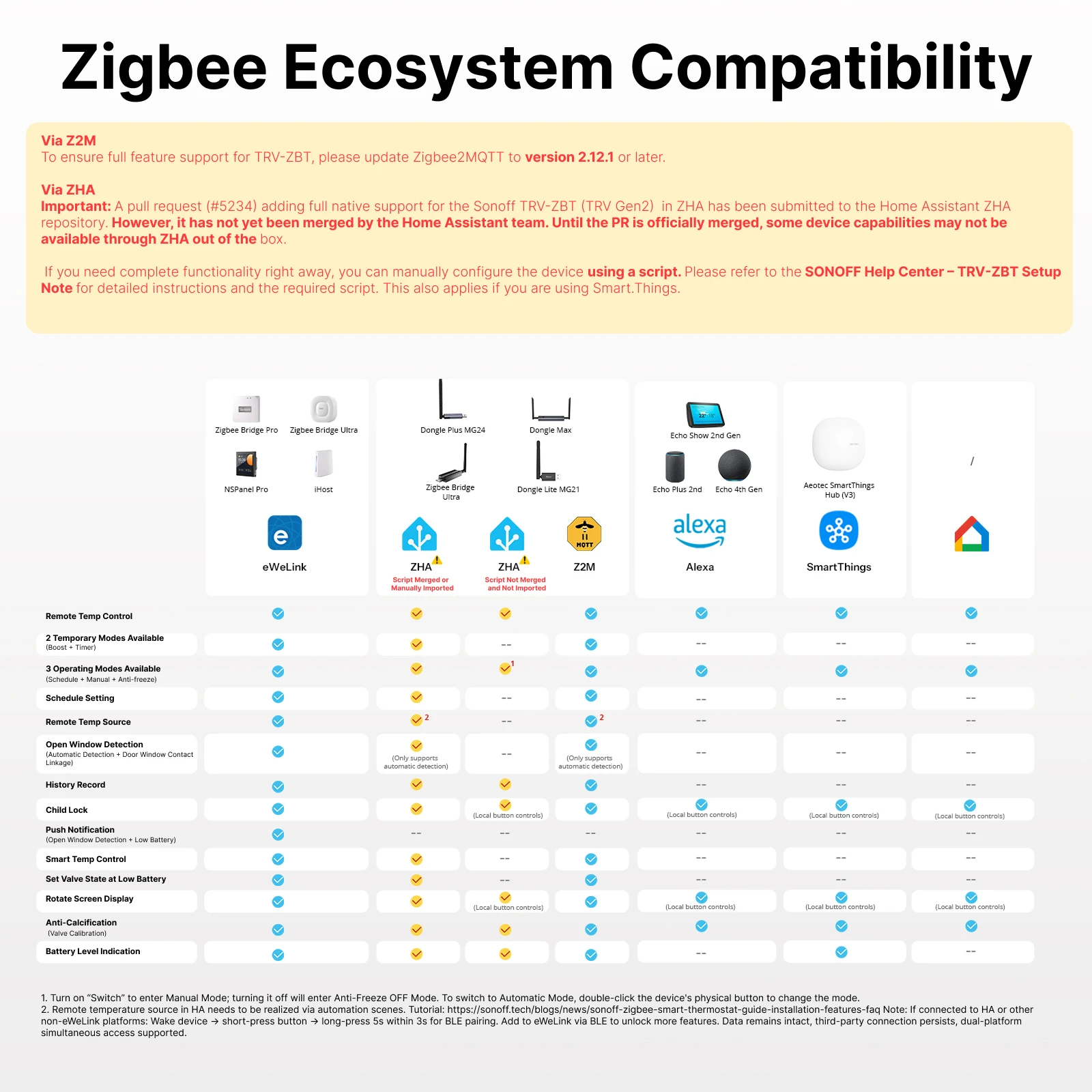
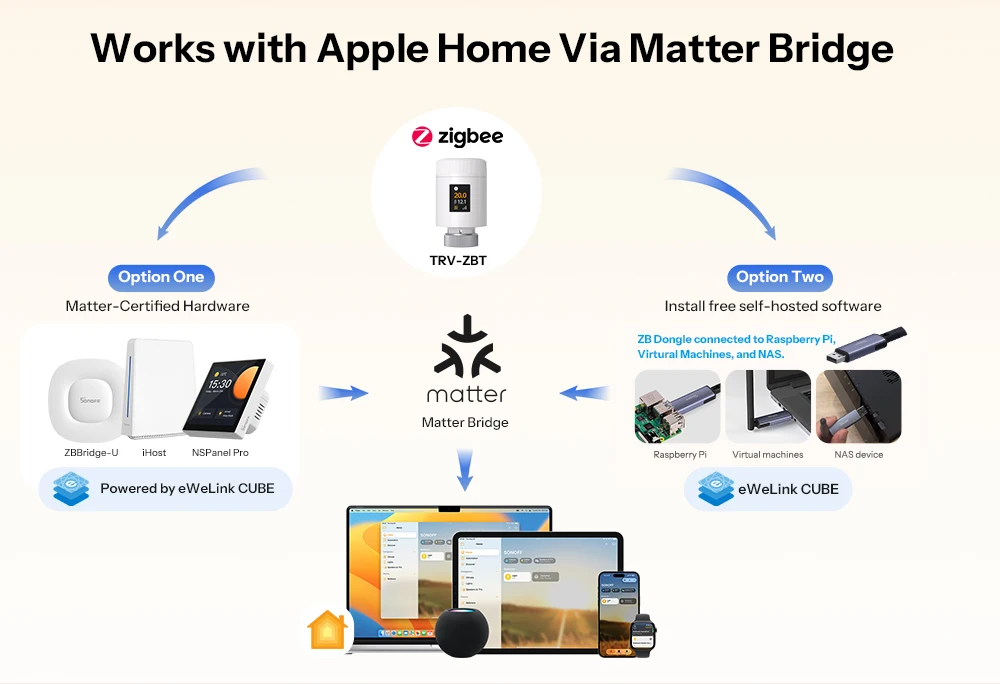
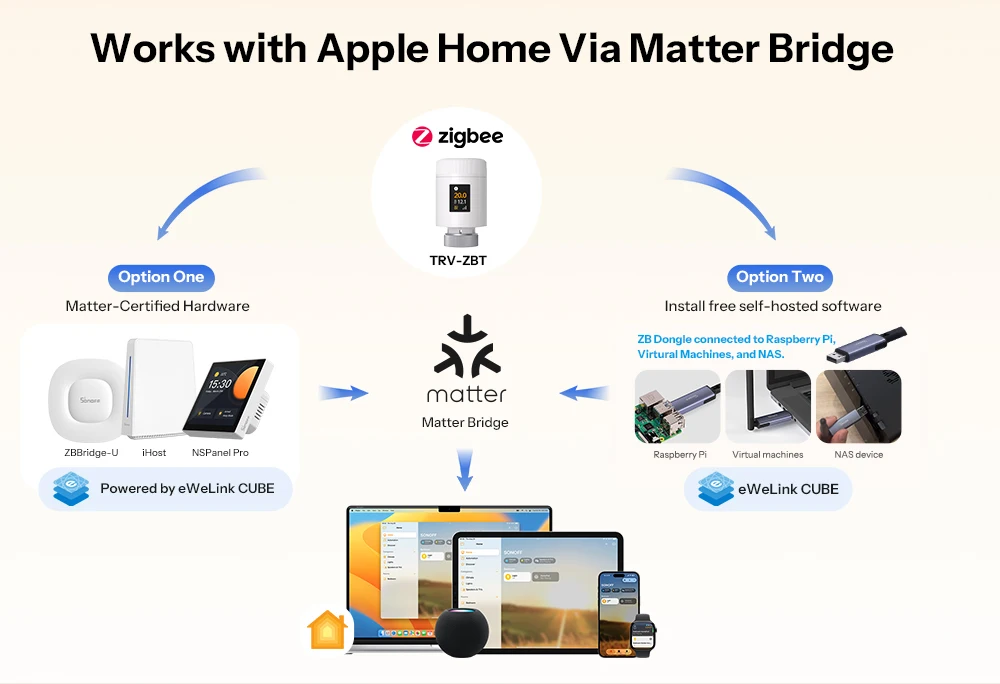
Works with Apple Home via a Matter Bridge.
All solutions integrate SONOFF Zigbee devices into your Apple ecosystem via a Matter Bridge, enabling seamless, networked device control.
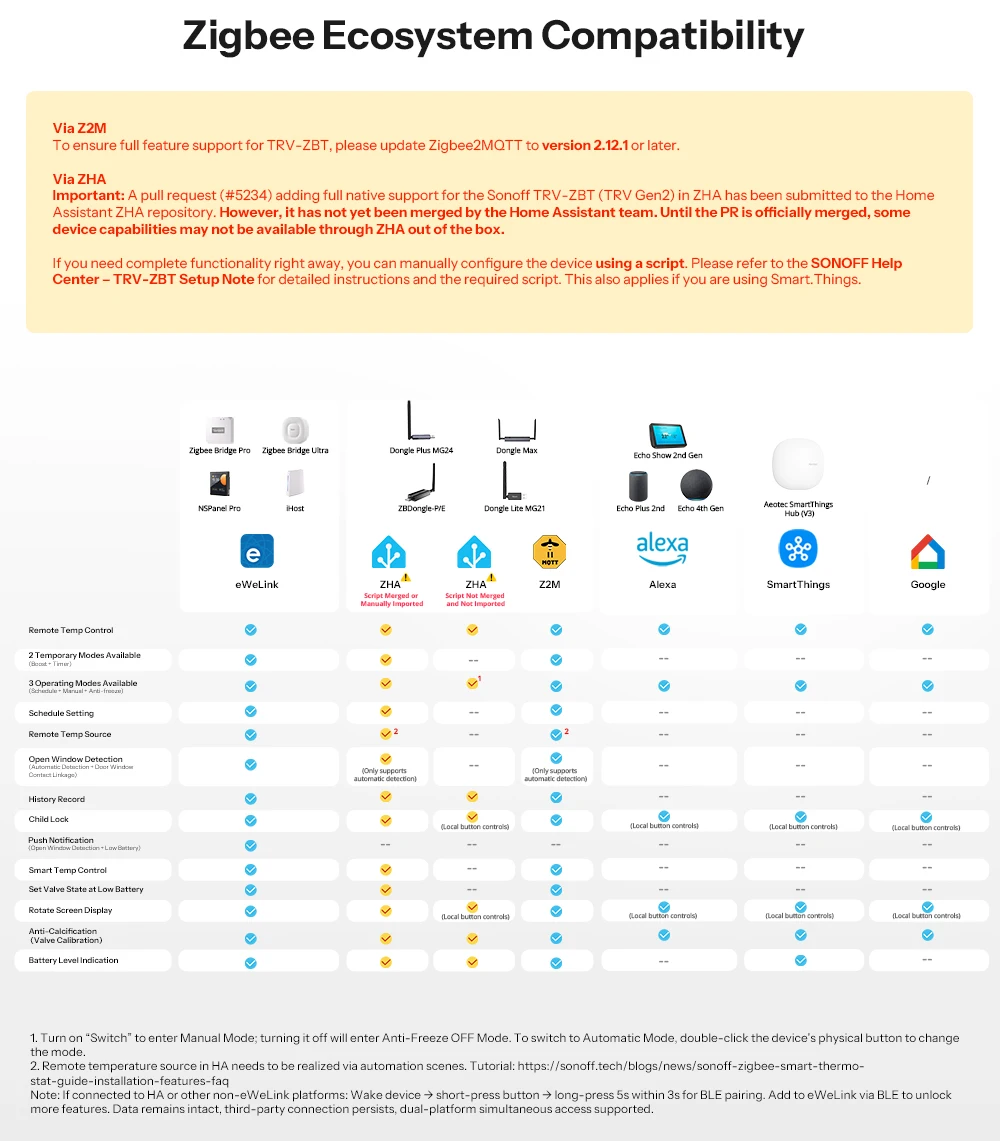
Can be easily integrated into open source platforms.
Based on the Zigbee 3.0 standard, this device connects effortlessly to a variety of third-party platforms.

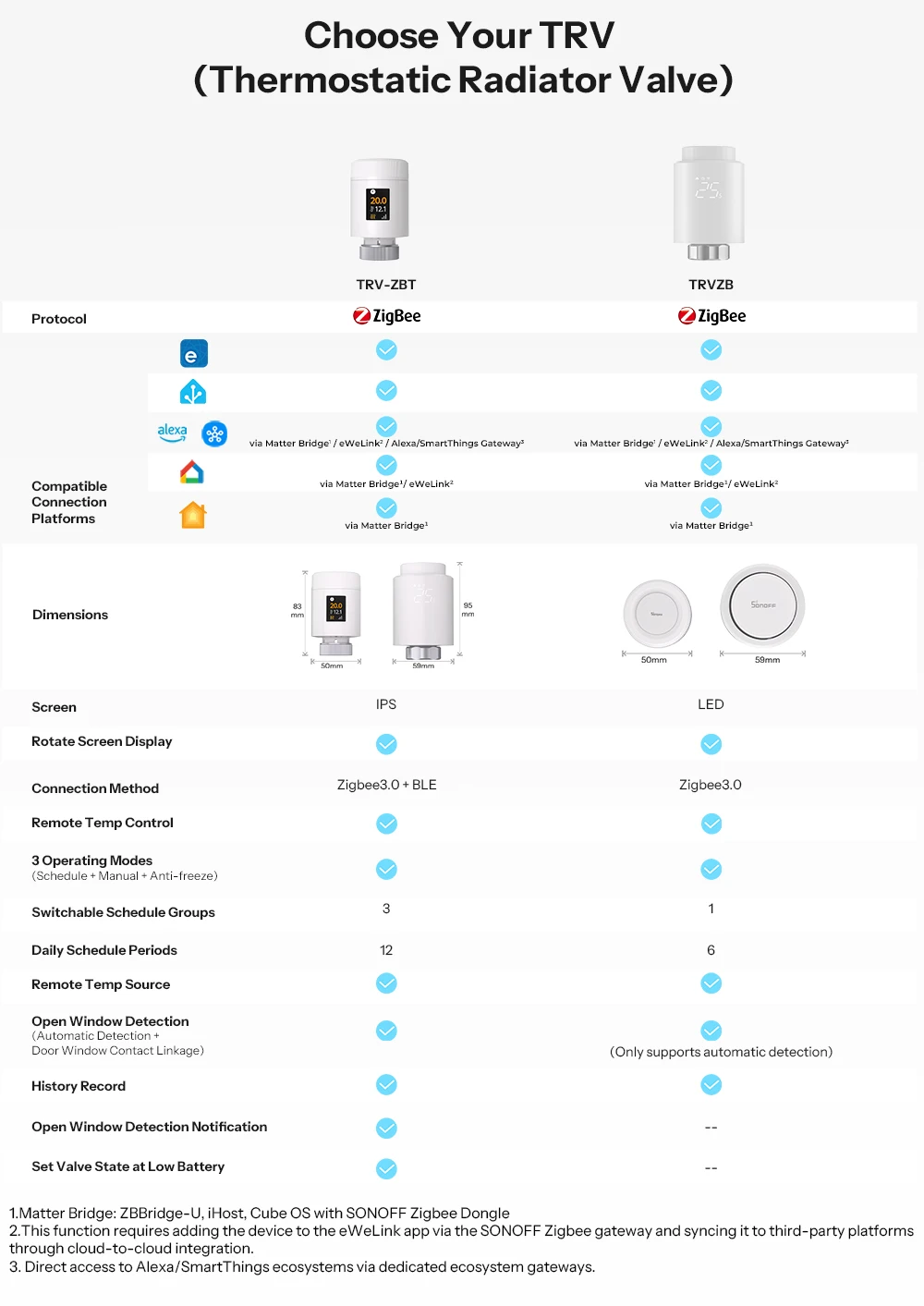
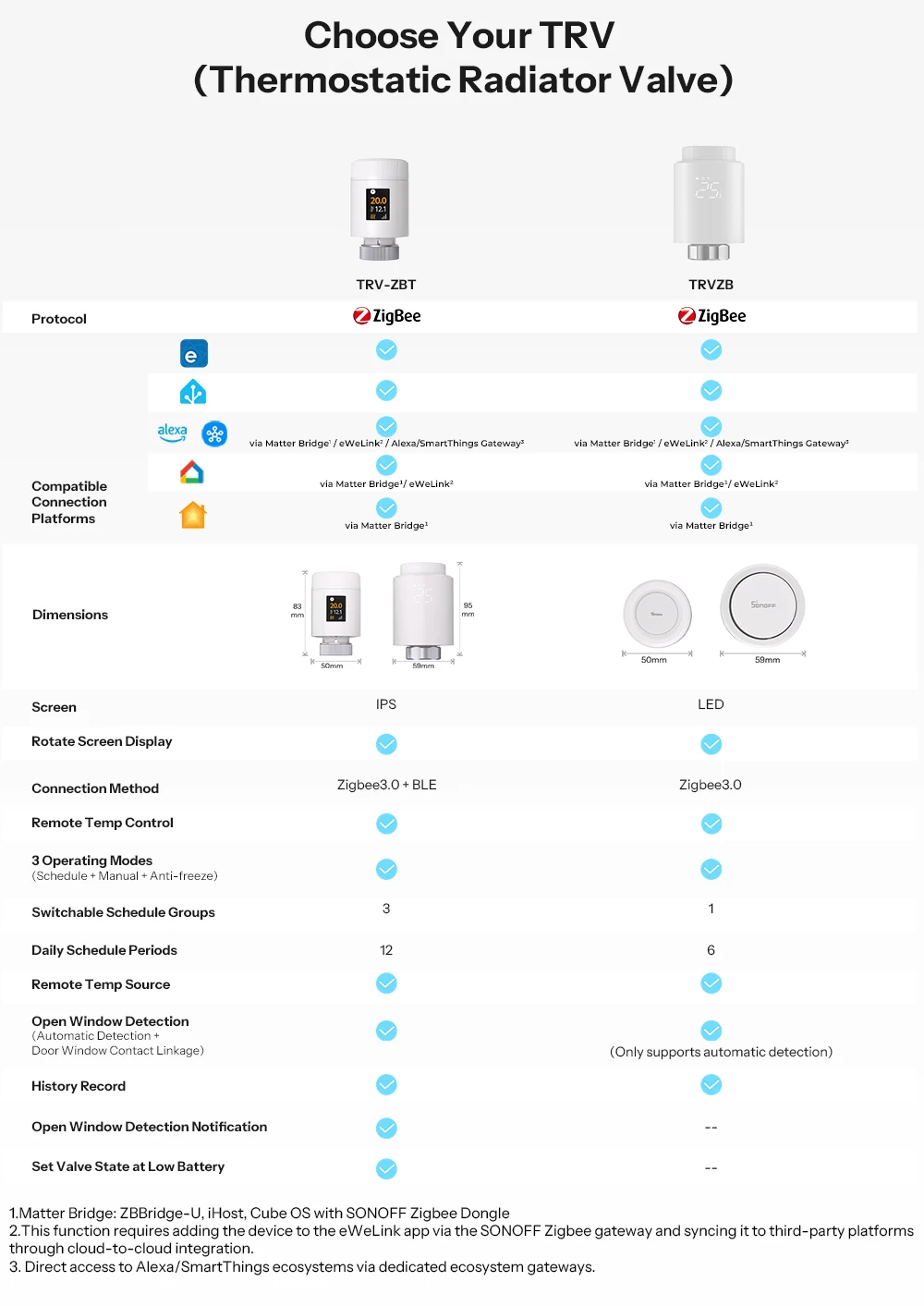
1. Matter Bridge: Bridge-M, ZBBridge-U, iHost, Cube OS with SONOFF Zigbee Dongle
2. This feature requires adding the device to the eWeLink app via the SONOFF Zigbee gateway and synchronizing with third-party platforms using cloud-to-cloud integration.
3. Direct access to Alexa/SmartThings ecosystems via dedicated ecosystem gateways.
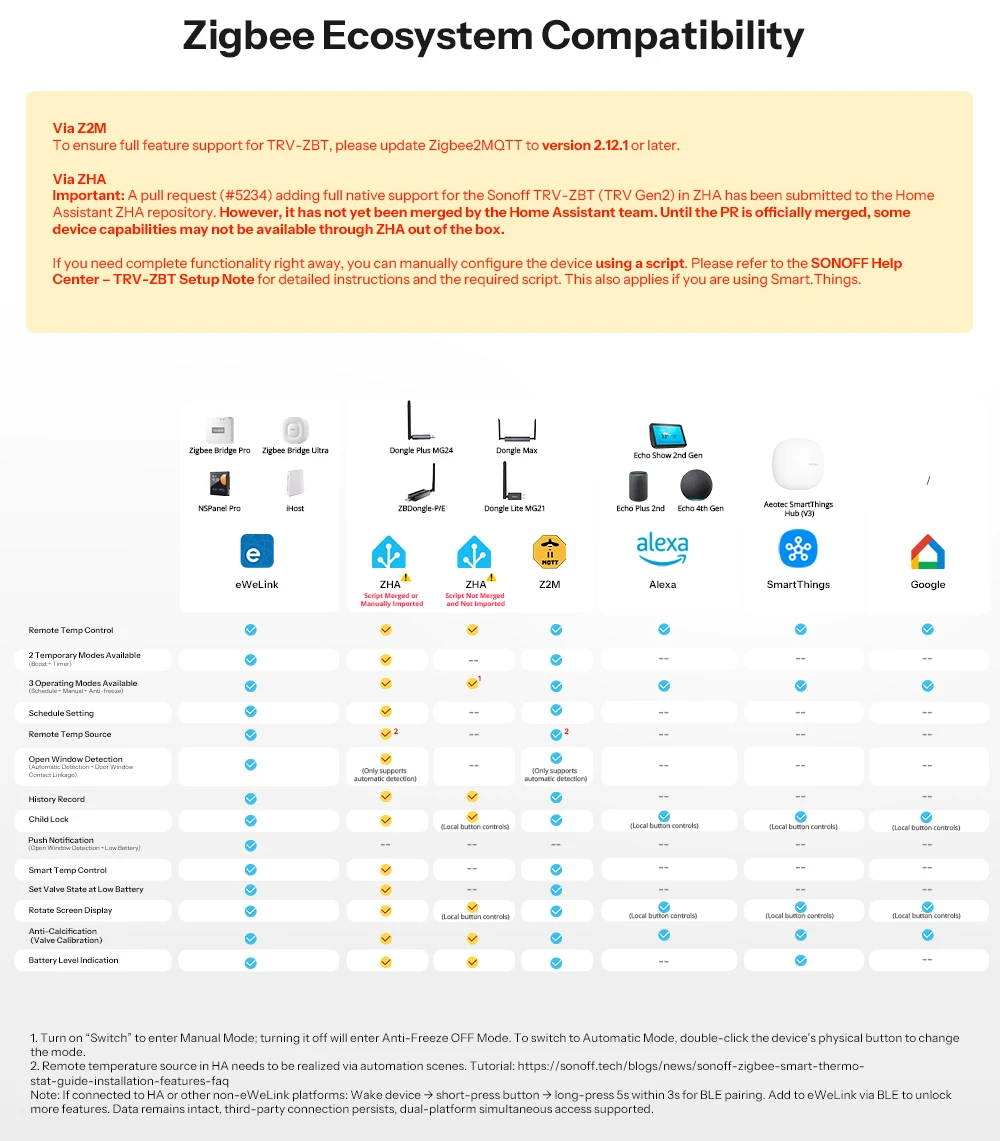
1. Turn on the “Switch” to switch to manual mode; when turned off, Anti-Freeze OFF (Anti-Freeze OFF) mode is activated. To switch to automatic mode, press the physical button on the device twice in quick succession.
2. Note: When connecting to HA or other platforms outside the eWeLink ecosystem: Wake up device → press button briefly → press and hold button for 5 seconds within 3 seconds, to start the BLE pairing. Add the device to eWeLink via BLE to unlock more features. The data is retained, the connection to third-party platforms remains and simultaneous access via both platforms is possible.

Reviews
There are no reviews yet.